
The short answer is to use the official ownership path, not a workaround
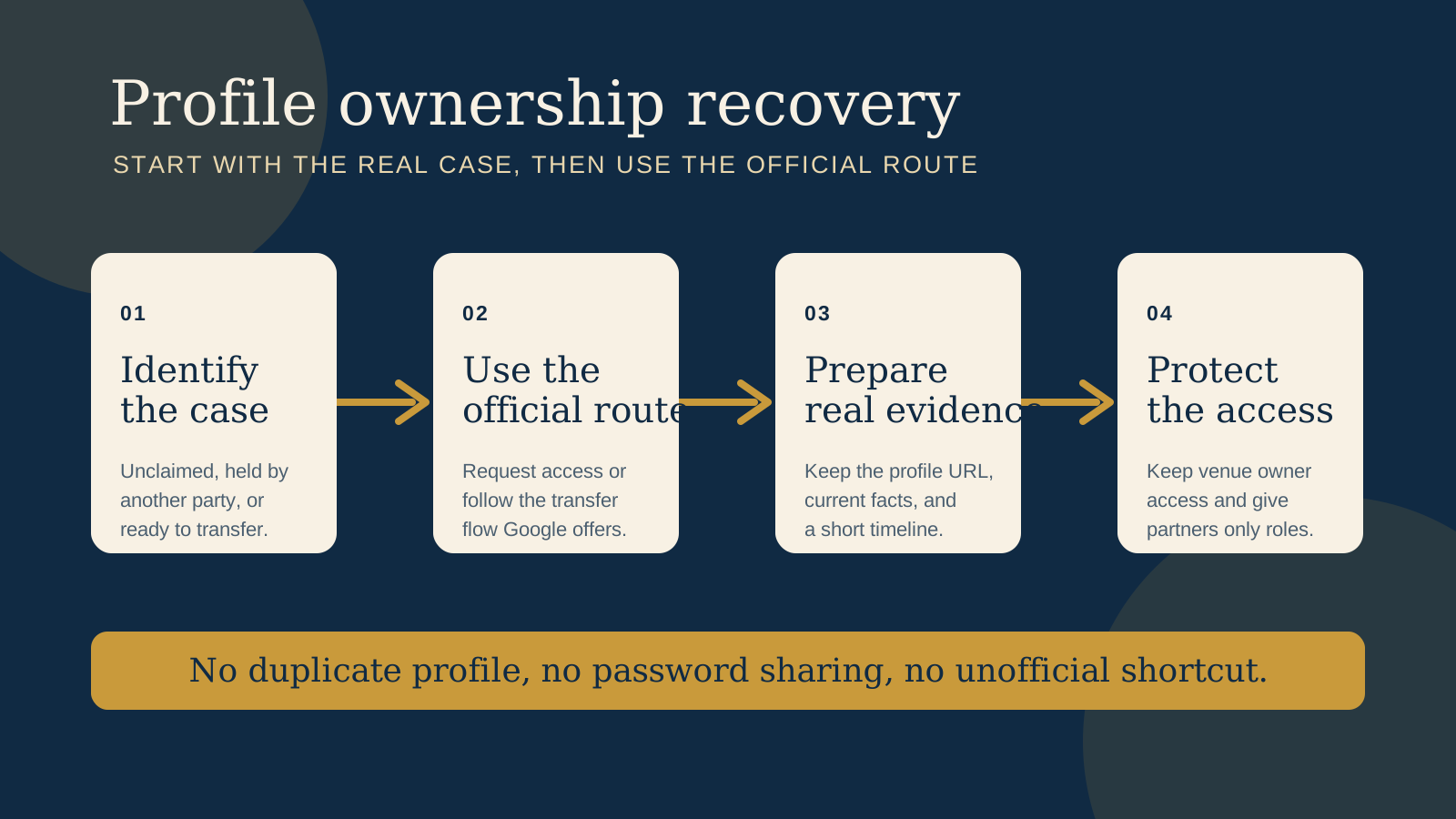
If your restaurant, cafe, or boutique stay appears on Google but you cannot manage it, begin at the real listing and establish what is true today. An unclaimed profile, a profile claimed by an old staff member or agency, and a profile controlled by a cooperative owner are different situations. Google's official guidance has a route for each, but it does not promise that every request will end in access or use the same verification method.
For a storefront or hybrid business, Google says you can request access through business.google.com/add. The current owner has three days to respond. If there is no response, a claim or verification option may appear in some cases, but Google says it is not always available. That is why accurate venue details and calm record keeping matter more than trying several unofficial fixes.
Work out which ownership case applies before you contact anyone
Search Google for the venue name, address, and phone number. Open the profile that guests actually see, rather than relying on an old bookmark or a screenshot. Look for a control such as “Own this business?” or “Claim this business” and try to add the business through the Google account the venue intends to keep.
- Unclaimed profile: no one appears to manage the listing, and Google offers a claim or verification path.
- Claimed by another party: Google says the profile is already managed or sends an access request to an existing owner.
- Current owner is willing to help: a former owner, staff member, franchisor, or agency can still sign in and is prepared to add or transfer access.
Do not assume that the person who built the website, opened an advertising account, or set up a booking platform owns the profile. Ask who can currently see it in Google Business Profile, which Google account holds the access, and whether that person is an owner, a manager, or the primary owner. Record the answer without asking anyone to send a password.
If the profile is unclaimed, follow the claim or verification option Google presents
For a storefront or hybrid business, start at business.google.com/add, find the existing profile, and follow the option Google presents. Google decides which verification path is available for that business. Do not create a duplicate listing just because the first screen is unclear. A duplicate can leave guests looking at conflicting hours, phone numbers, booking links, or reviews.
Before you start, make sure the business name, address or service area, phone number, website, and opening details you enter are the genuine current details. Keep a note of which account made the request and when. If Google asks for verification, follow only the instructions inside the official Google flow.
A boutique stay with a guest facing address may fit the storefront or hybrid route. A business that travels to guests or hides its address may be treated differently. The important point is not to force the profile into a category just to obtain a particular option.
If another party has claimed the profile, request access and give the process time
For a storefront or hybrid business, use Google's request ownership process. Google says the current owner has three days to respond. During that time, keep one clear record of the request and avoid opening competing profiles or submitting made up evidence.
If there is no response, Google may show a claim or verification option. It may not. That is Google's decision for the specific profile, so treat it as a possible next step rather than a guaranteed handover. If an existing owner declines the request, Google's flow may show limited ways to appeal or ask for further help, depending on the case. Follow the options shown in the account that made the request.
For a service area business, Google directs owners to Google support and the “Transfer ownership of listing” topic rather than the storefront request flow. Describe the real operating model and use the profile URL, not a duplicate listing, when asking for help. Keep the request factual: business name, location or service area, current contact details, and why the venue needs management access.
If the current owner will transfer, make the handover deliberate
When the current owner can still sign in, ask them to add the venue's long term Google account first, then complete the appropriate ownership transfer in Google Business Profile. Google's transfer guidance distinguishes between owner access and primary ownership. Only a primary owner can transfer primary ownership.
Plan the handover around real continuity. Keep the former owner available until the venue's account can see the profile and the team has confirmed the essential public details. Google also says new owners and managers face a seven day limitation on some access changes. Do not schedule a last minute agency exit around a change that may need to wait.
There is no need to share credentials for a clean handover. The current owner can add the correct account through the profile's own access settings. If the person helping is not the primary owner, they may need the primary owner to complete that part of the process.
Prepare real evidence, but let Google decide what it needs
Gather a small, truthful folder before starting. This does not mean sending every document you have, and it does not make a result certain. It simply means you can answer accurately if Google asks questions or support needs context.
- The exact profile URL and screenshots showing the public business name, address or service area, phone number, and website.
- The venue's current contact details and the Google account that should hold long term ownership.
- Current proof that connects the business to its real location or operating identity, only if Google asks for it.
- A short timeline: when the current owner or agency was involved, when the venue lost access, and any attempt already made through Google's official route.
- Names and work email addresses for people who can confirm the venue's operation, without sharing passwords, verification codes, OTPs, or PINs.
Keep the profile facts aligned with what guests can check independently, such as the venue website, frontage, signage, phone line, or current opening details. Do not edit documents, invent a relationship, or ask a contractor to make a claim for you. Inconsistent or false information makes a genuine ownership question harder to resolve.
Use this compact ownership route checklist
| What you see | Use this route | Prepare | Do not do |
|---|---|---|---|
| No one manages the profile | Start the claim or verification path Google shows at business.google.com/add. | Current venue facts and one long term Google account. | Create a second listing. |
| Another party manages it | Request access through Google's official process. For service areas, use Google support's transfer topic. | Profile URL, request date, correct contact facts, and a brief timeline. | Promise yourself a three day outcome, or send fake proof. |
| The current owner agrees | Have the owner add the venue account and transfer ownership in the profile settings. | The account the venue will retain, plus a handover date. | Exchange passwords or assume a manager can transfer primary ownership. |
What not to do while access is unresolved
Do not create a competing profile, manipulate reviews, upload false documents, or pay someone who claims they can bypass Google's process. Google says its Business Profile service is free, and it does not ask for an OTP or PIN. Treat any message asking for those codes, a password, or payment to “unlock” a listing as a reason to stop and check the official help pages.
Do not use a shared personal account as the permanent owner simply because it is available today. A venue needs a deliberate, recoverable account plan. If a web agency or marketing partner manages the profile, they can retain an appropriate working role, but the venue should retain owner access.
Protect access after recovery, before the next staff or agency change
Once the venue has the right access, pause before making a long list of profile edits. Confirm the business name, address or service area, phone number, website, opening hours, booking or ordering link, and category against the real guest journey. Then record who has access and why.
- Keep the venue's long term account as an owner, and make sure the person responsible for continuity can reach it.
- Give staff and suppliers only the role they genuinely need, then review access when a role or contract ends.
- Keep recovery details current for the venue's account and use strong sign in protection. Never circulate passwords, OTPs, or PINs in a chat or email.
- Write a short handover note with the profile URL, who owns it, where recovery details are held, and the date access was checked.
- Use Google's profile protection guidance as a prompt to keep owner access with the business even when a third party helps manage the profile.
Ownership is only one part of a reliable guest path. After access is settled, make the website and the profile point to the same phone number, location information, hours, and next step. This avoids fixing the control problem while leaving guests with mismatched details.
Need to check whether the website details still match the venue?
The US$35 Website Check reviews one independent restaurant or cafe website for mobile experience, menu access, booking paths, and essentials that support search visibility. It gives five priority fixes, with clear screenshots or notes and a short consultation. It does not recover a Google Business Profile, but after access is settled it can help you identify website details that should match the profile guests see.
Get the US$35 Website CheckSources
- Google Business Profile Help, Request ownership of a Business Profile
- Google Business Profile Help, Transfer primary ownership of a Business Profile
- Google Business Profile Help, Protect your Business Profile
Official guidance checked October 14, 2026. Google controls the available verification and support options for each profile. This article is practical guidance, not legal or account recovery advice.