
The short answer
A boutique hotel should offer direct booking on its website when it can show live room availability and accurate rates, carry the guest through a dependable booking engine, and send a clear confirmation. This usually requires a booking engine connected to a channel manager, property management system, or suitable connectivity partner.
If you cannot keep that information current across every sales channel, do not present an instant booking button that may disappoint the guest. Use a clear enquiry path, or send visitors to the OTA listing you actively maintain, until the operational setup is ready.
Give each channel a clear job
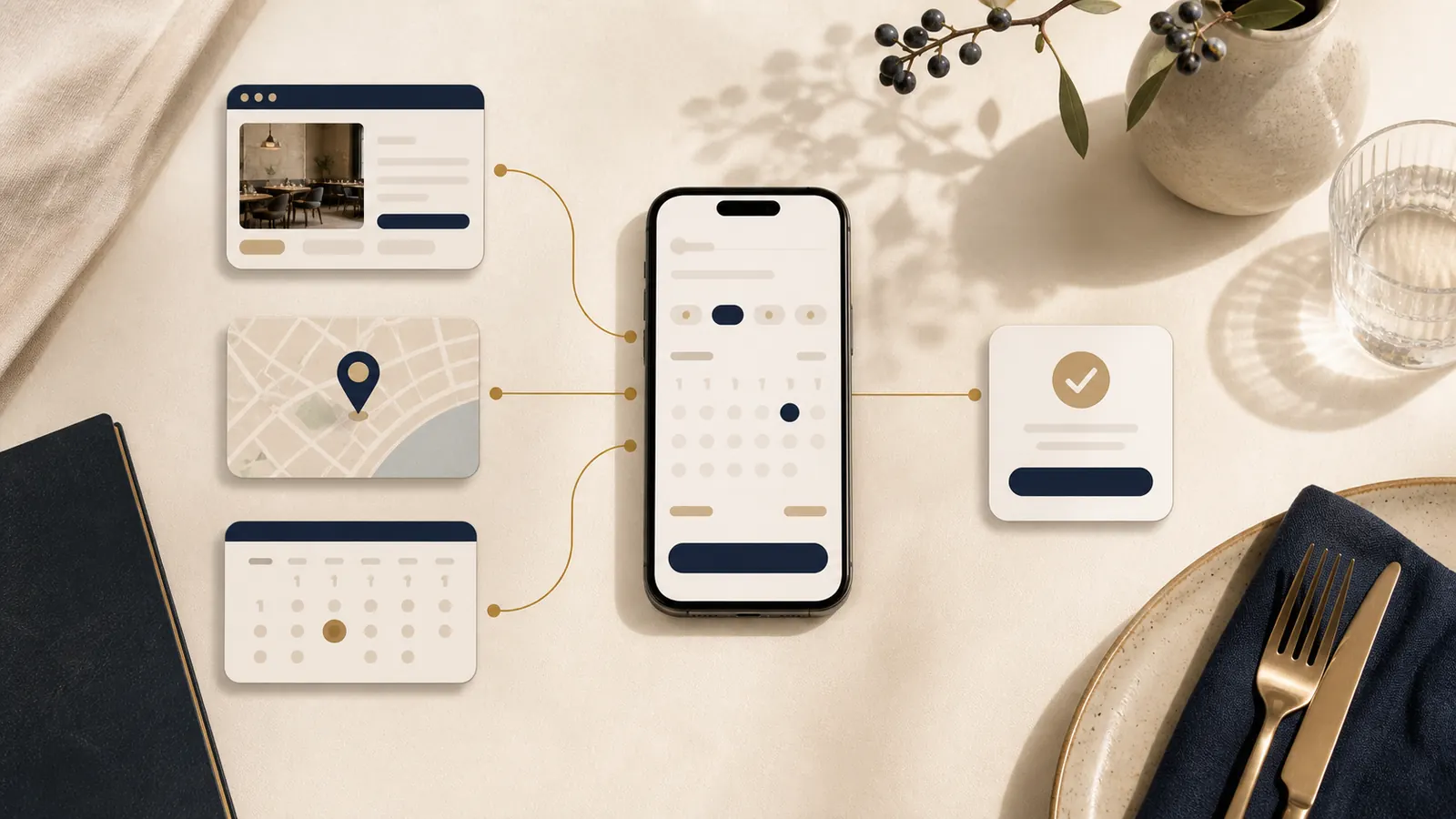
Your website, booking engine, OTA listings, and Google presence should support one guest decision rather than compete for attention.
- Your website explains the character of the stay, room differences, location, amenities, policies, and reasons to feel confident.
- Your booking engine handles dates, live availability, rates, room selection, guest details, payment steps where applicable, and confirmation.
- OTAs help travellers discover and compare the property within a marketplace they already use.
- Google booking links can connect a guest who is already viewing the hotel booking module with relevant booking options.
The owned website is strongest as the decision and direct booking layer. It can answer the details that a short listing cannot, then send the guest into the correct room and rate flow without making them search again.
Check direct booking readiness before adding the button
The central question is operational: can your property maintain live rates and availability? A booking engine should not become a second calendar that someone remembers to update after a reservation arrives elsewhere.
Confirm how inventory moves between your booking engine, OTAs, property management system, and channel manager or connectivity partner. Test what happens when the last room is sold, a minimum stay applies, a rate closes, or a booking is cancelled. Name the person who owns rate and availability accuracy when something changes.
Also review the real cost and scope of the setup. Include website work, booking software, payment services, connectivity, maintenance, and any specialist help. Our guide to what a website quote should include uses a restaurant example, but its approach to separating project scope from ongoing services is useful for small stays too.
Build the booking journey around room choice
A guest needs enough information to choose a room before being asked to complete a reservation. Show the meaningful differences, such as bed setup, guest capacity, outlook, accessibility, included meals, and important restrictions. Use current photographs that make it possible to distinguish one room type from another.
Keep rate names understandable and display the conditions that change the decision. Cancellation terms, payment timing, taxes or charges, check in details, and inclusions should appear before the guest commits. If the website promotes a particular room or offer, the booking page should make that room and rate easy to recognise.
After booking, show a useful confirmation page and send the promised confirmation. It should identify the room or room type, stay dates, rate conditions, payment status, property contact details, and the next step. A guest should not wonder whether the reservation succeeded.
Keep OTAs in the mix
Direct booking does not require leaving OTAs. They can remain valuable discovery and comparison channels, especially for travellers who have not met the property before or prefer to complete a reservation within a familiar account.
Keep room names, core policies, photographs, and availability understandable wherever the guest finds you. Perfectly identical wording is not necessary, but contradictions create doubt. If a guest moves from an OTA listing to your official website to learn more, they should recognise the same property and find the correct next step quickly.
Use the channel that fits the moment. An OTA can introduce the stay. The website can deepen trust and explain the experience. A connected booking engine can complete a direct reservation. The goal is a coherent path, not forcing every guest into one channel.
Understand Google free booking links
Google says free booking links can appear in the hotel booking module with no placement or engagement fee. The direct booking URL must lead to the hotel's official website, not a social media page or OTA.
That does not mean the whole setup has no cost. A connectivity partner may charge for providing its service, and the property still needs accurate rate and availability data plus a working booking path.
Google's current best practices emphasise accurate rates, clear landing pages, visible selected rooms and rates, working mobile pages, and sending visitors to the relevant booking page. In practice, the price and room a guest selected should remain easy to identify after the click. Do not drop them on a generic home page and ask them to restart.
Test the complete mobile flow
Many guests will compare rooms and book on a phone, sometimes while travelling. Start from Google, an OTA listing, and your own home page. Choose dates, compare two room types, read the policy, enter guest details, and reach confirmation.
Check whether the date picker is comfortable to use, room images fit the screen, totals are clear, policies can be read without opening several layers, errors explain what to fix, and a guest can return to a previous step without losing the selection. Our mobile website checklist covers the same essential discipline: test the real action on the phone, not only the page layout.
Keep the main booking action consistent in the header, room pages, and key calls to action. The principle is similar to the one in our guide to restaurant booking links across a website and Google. Different hospitality settings still benefit from one current, recognisable next step.
An owner checklist before you offer direct booking
- Confirm that rates and availability update reliably across your connected channels.
- Test the last room, minimum stay, closed rate, cancellation, and modification scenarios.
- Give each room enough information and current photography for a confident choice.
- Show rate conditions, policies, payment timing, and the total clearly before confirmation.
- Complete the entire path on a phone from website visit to confirmation.
- Check that links from Google and your own calls to action reach the relevant booking page.
- Keep OTA listings accurate and recognisable as part of the wider guest journey.
- Use an honest enquiry or maintained OTA path if live direct availability is not ready.
A direct booking button is useful only when the system behind it is trustworthy. Build that foundation first, then let the website help guests understand the stay and reserve with confidence.
Run a restaurant or cafe onsite?
The US$35 Website Check is currently designed for restaurant and cafe websites, not hotel booking systems. If your property also runs a restaurant or cafe with its own site, the check can review that guest journey. For rooms, use the checklist above and ask your booking provider to test live inventory and confirmation.
See the restaurant and cafe Website CheckSources
- Google Hotel Center Help, free booking links
- Google Hotel Center Help, booking page URL
- Google Hotel Center Help, best practices for free booking links