
The short answer is that a successful form submission is not a confirmed table unless the system explicitly confirms the booking
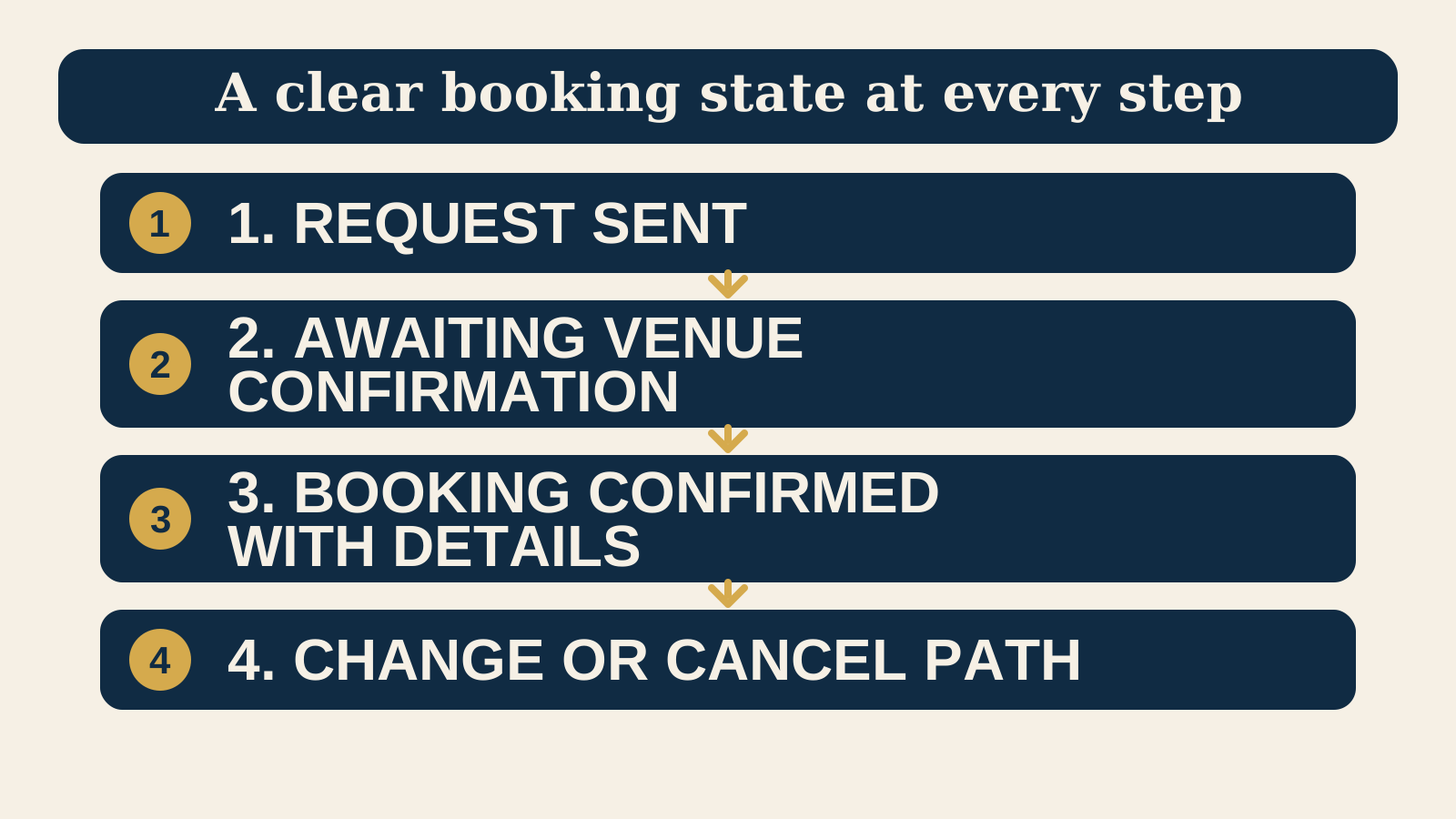
A page that says only “thank you” leaves an important question open. Did the venue receive a request, did the system hold a table, or is the reservation confirmed? State the answer in the first line, then show the next step. A request can be useful when a team needs to check availability. It must not look like a confirmed reservation.
For an immediate booking, say clearly that the reservation is confirmed and repeat the table details. For a request that needs staff review, say that the request was received, explain that it is awaiting venue confirmation, and tell the guest how confirmation will arrive. Do not promise a response time unless the team can keep it.
Name the booking state honestly
Use distinct language and distinct page headings for the two common outcomes. The guest should be able to understand the state without reading a paragraph or opening an email.
| Actual state | Useful page heading | Next information |
|---|---|---|
| Request received | “We received your booking request.” | Explain that the venue still needs to confirm it, name the confirmation route, and give a contact option for an urgent issue. |
| Reservation confirmed | “Your table is confirmed.” | Repeat the reservation details, show the reference if one exists, and link to the change or cancellation route. |
Keep any waitlist, deposit, prepayment, or group enquiry state separate too. A guest on a waitlist has not been given a table. A guest who sent a private dining enquiry has not accepted a quote. The wording should follow the real operational state, not the phrase that sounds most reassuring.
Repeat the details a confirmed guest needs to check
Once a table is confirmed, repeat the information a guest would otherwise search for in a crowded inbox. Put the same essential details on the page and in the confirmation email when both exist. The exact presentation can vary by service, but a confirmed reservation usually needs:
- The venue name and the correct location, especially when the business has more than one site.
- The date, arrival time, party size, and service or seating selected.
- The booking reference, if the reservation system creates one.
- Any essential arrival instruction, such as where to check in or what to do for a late arrival.
- The applicable deposit, cancellation, or no show information, stated consistently with the booking flow.
- One clear route to change or cancel, plus a contact route for an issue that cannot wait.
Keep the message focused. A confirmation page is not the place to hide important terms under a large gallery, or make guests start a new general enquiry to change a booking. If your venue uses deposits or other commitments, our guide to restaurant booking deposits and website policy explains what guests should see before they reserve.
Give guests one visible route to change or cancel
Put the change or cancellation route next to the confirmation details, not only in a footer. Use an action label that says what will happen, such as “Change this booking” or “Cancel this booking.” If the reservation provider handles that action, send guests directly to the correct provider route when one is available.
Tell guests what they can expect before they leave the page. For example, the page can say whether they will review the request, sign in, receive an email link, or contact the venue. If a deadline or charge may apply, show the current policy where it affects the decision, using the same language as the booking flow.
Some cases need a separate route. A group request, accessibility question, or same day service issue may need a named phone number or contact channel rather than a generic cancellation button. Keep that exception practical and specific. A broad contact form adds delay when the guest needs a time sensitive answer. For the booking entry point itself, compare the options in Restaurant Booking Widget or Link: Which Is Better?.
Plan for a missing email, a duplicate submission, and an error
A booking confirmation should not depend on one message arriving perfectly. The success page can say where the confirmation was sent, but it should also show the booking state and reference on screen. If an email does not arrive, tell guests where to check, how long to wait only if that is known, and where to get help. Do not ask them to submit the booking again before checking whether a reservation already exists.
After a guest selects submit, change the button to a clear in progress state and prevent repeated taps while the request is being processed. If the page can safely detect a duplicate, explain what happened and show the existing booking state or a route to support. Never imply that a second submission has created another table.
When something fails, use specific language. Explain whether the venue did not receive the request, availability could not be checked, or an entered field needs correction. Preserve correctly entered information where practical, so a guest can fix the problem instead of starting again. Give an alternative contact route when it is appropriate for the urgency of the service.
Make status messages available to everyone
A visible message is not always enough. If the page updates without loading a new page, a guest using a screen reader needs the booking status announced as well. W3C's guidance on status messages describes how programmatically determined messages can be presented without moving focus. That guidance is useful for a booking flow that changes from “submitting” to “request received,” “confirmed,” or an error.
Write the status in words and do not rely only on colour, a tick icon, or an animation. If an error needs a guest to correct a field, identify the field and explain the problem near the field and in any summary. W3C's Error Identification guidance is a practical reference for identifying input errors. Where a selected action cannot be undone, Technique G168 describes asking the guest to confirm the selected action and its consequences before it continues. These are examples of accessible communication, not universal legal obligations.
- Use a concise status message that matches the real booking state.
- Keep the status readable after the page changes, with enough contrast and clear text.
- Where the booking flow stays on the same page, ensure the new status can be announced to assistive technology.
- For a correction, name the field, describe the error, and keep valid answers when possible.
Give one person ownership, then test the journey as a guest
A confirmation page only works when it matches the reservation process behind it. Name one staff owner for the guest facing words, the reservation settings, the confirmation email, and the exception route. That person does not need to complete every change, but they should know who does and should confirm that the messages agree.
Run a safe test whenever you change the booking provider, service schedule, policy, location, or confirmation copy. Use a permitted test process when a live booking would affect inventory. Test on a phone and include the full path, not just the page design.
- Start from the homepage and from a booking button on the relevant service page.
- Submit one request that requires review and confirm it says “request received,” not “confirmed.”
- Complete or safely simulate a confirmed reservation and check the venue, date, time, party size, service, reference, and change route.
- Try a missing or invalid field and confirm the error explains how to recover.
- Check the page when the confirmation email is delayed or absent, using the help route shown to guests.
- Try one change or cancellation path without creating an unintended live reservation.
- Confirm the responsible staff member can find the request or booking and understand the next action.
Measure a real confirmed success state, not a booking button click
A booking button click is not a booking. It may lead to an external reservation page, an abandoned form, an unavailable time, or a guest who changes their mind. If you use analytics, define the event around a real confirmed success state that your setup can actually observe.
For an on site flow, that may be the confirmed reservation page or the confirmed response returned by the booking system. For an external provider, you may be able to measure the handoff but not the completed booking. Keep those measurements separate and name them accurately. Do not treat a handoff click as a confirmed reservation in a report.
Google's GA4 events reference documents the event collection interface and its event parameters. Use it to implement the events your site can support, then test that the event fires only at the intended state. Measurement should represent a real confirmed success state, not an optimistic proxy.
Start with the free Restaurant Website Quick Score
The free Restaurant Website Quick Score checks nine guest essentials and returns three practical priorities. Use it to review whether guests can find your booking route, understand the next step, and reach menu, location, and contact information before they commit.
Want a practical review of your live booking journey?
The US$35 Website Check reviews the live guest journey on a restaurant or cafe site, including the booking route, confirmation clarity, menu, essential venue details, visual clarity, and search basics. It reviews the public journey only, not account credentials or reservation provider internals.
Get the US$35 Website CheckSources
- W3C, Understanding Success Criterion 4.1.3: Status Messages
- W3C, Understanding Success Criterion 3.3.1: Error Identification
- W3C, Technique G168: Requesting confirmation to continue with selected action
- Google Analytics, GA4 events reference
Official primary sources checked October 16, 2026. This is practical website guidance, not legal advice.