
A widget is only one layer of the guest experience
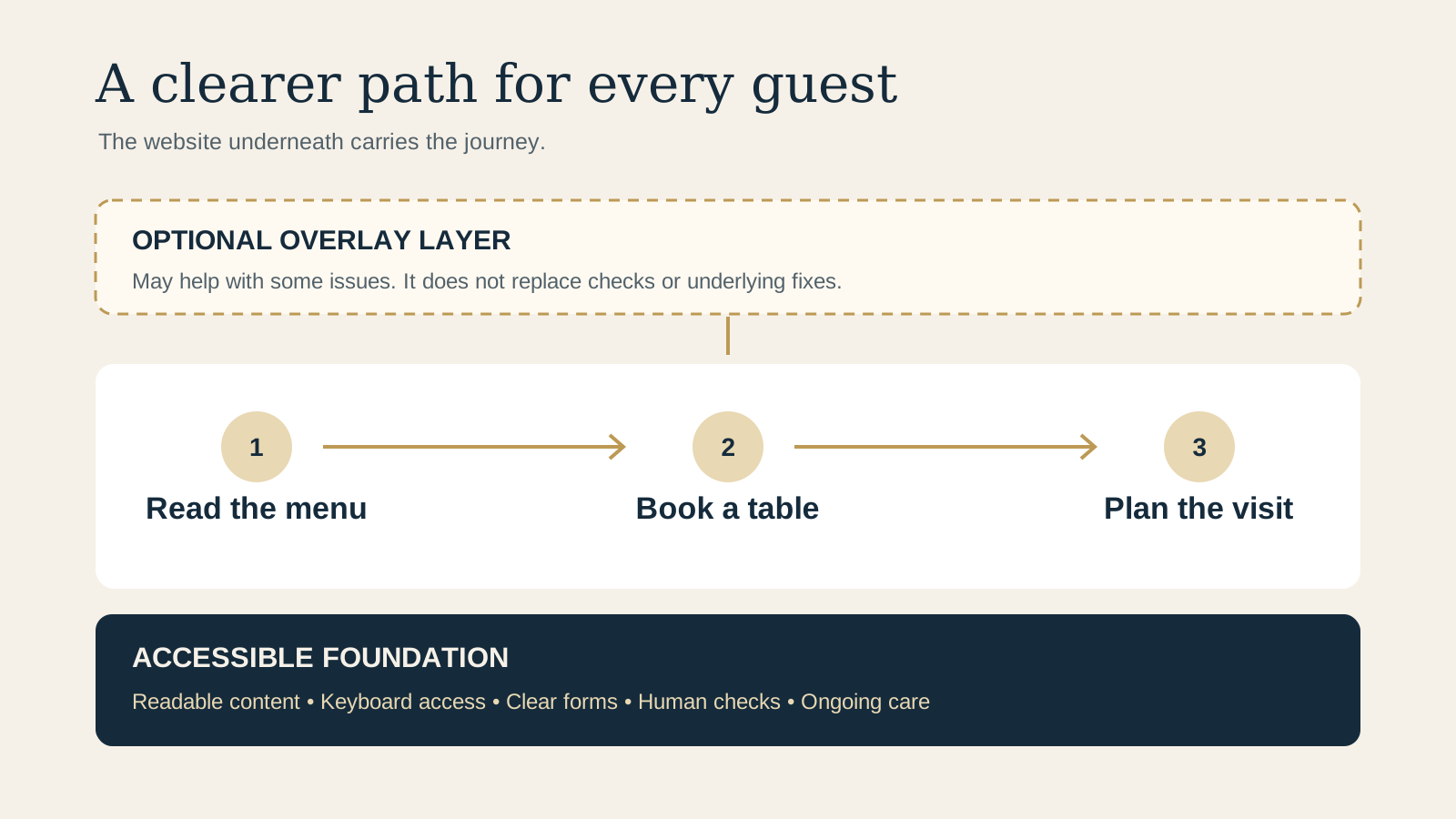
An overlay is an added layer of software on a website. Some offer display controls or automated changes. Such tools may help identify or address some issues, but they cannot determine whether the whole experience is accessible or replace human judgment and real user experience.
Think of the guest who wants to read the menu, choose a table, and find the entrance. If the menu is an unreadable image or the booking form cannot be operated with a keyboard, a purchased widget is not a substitute for fixing those underlying barriers.
A compact decision guide
- Considering an overlay? Ask exactly what it changes, test those changes with people and assistive technology, and keep responsibility for the underlying site.
- Found a barrier? Fix it in the content, design, code, or connected service where it occurs, then retest the guest journey.
- Using an automated checker? Treat its findings as leads for investigation, not a complete result.
- Unsure about obligations? Obtain qualified legal advice for your situation. Requirements vary by jurisdiction.
Start with the accessible foundation
Make the menu available as readable text, with meaningful headings and links. Check that text has sufficient contrast, useful images have appropriate alternative text, and video has captions where needed. Give form fields clear labels and explain errors so a guest can correct them.
Use a keyboard to move through navigation, the menu, booking link, and contact form. The focus should be visible and the order should make sense. Check that the site remains usable when text is enlarged or the page is viewed on a narrow screen. Follow a booking into the external service too, because that handoff is part of the guest journey.
The restaurant website accessibility checklist gives owners a practical place to begin. Record barriers, who will fix each one, and how the fix will be checked.
Combine automated assistance with manual checks
Evaluation tools can save time and flag issues across pages. They cannot check every aspect of accessibility and may produce false or misleading results. Review their findings in context, then use keyboard checks and assistive technology to follow real tasks. Include people with disabilities in testing where possible and listen to what happens during the journey.
Easy checks are useful starting points, not a definitive evaluation. A page can appear to pass them while significant barriers remain. Test representative pages, menu formats, forms, and connected booking experiences after fixes, rather than checking only the home page.
Make reporting and maintenance part of the plan
Offer a clear contact route for guests to report a barrier or request help. Ask which page and task caused difficulty, respond through a usable channel, and assign the issue to someone who can investigate. Do not ask guests to disclose more personal information than needed.
Assign an owner for the issue list and review it regularly. Recheck after menu changes, new images, form updates, booking provider changes, and redesigns. Confirm that connected providers can receive and resolve accessibility issues too. Keep a record of the problem, fix, and retest so unresolved barriers do not disappear into a queue.
What the guidance says, and what it cannot promise
WCAG 2 is an international standard. WCAG 2.2 has 13 guidelines organised under perceivable, operable, understandable, and robust, with testable success criteria. Those criteria provide a useful foundation for evaluation, but a quick check does not establish conformance.
The US Department of Justice describes food and drink establishments among businesses open to the public and gives examples including contrast, alternative text, captions, form labels and errors, and keyboard access. Its 2022 guidance recommends pairing automated checkers or overlays with manual checks. It is general guidance, not a guarantee that buying an overlay satisfies a private restaurant's obligations. Laws and obligations vary, so seek qualified legal advice for your own circumstances.
Choose a useful next step
Start with the accessibility checklist and work through the menu, booking, and contact paths. The free Restaurant Website Quick Score can provide a broader guest journey baseline. It is not an accessibility conformance audit.
Want a practical review of your current site?
The US$35 Website Check reviews the current mobile journey, menu access, booking path, venue details, and visual clarity. It is not a legal or accessibility conformance certification.
Get the US$35 Website CheckSources
- W3C Web Accessibility Initiative, WCAG overview
- W3C Web Accessibility Initiative, selecting evaluation tools
- W3C Web Accessibility Initiative, easy checks
- US Department of Justice, web accessibility guidance
Reviewed October 22, 2026. These sources provide general technical and US guidance, not a complete evaluation of your website or advice about every jurisdiction. Guidance and requirements can change.