
The short answer
Before a redesign goes live, make an inventory of the pages and guest actions that already matter. Match every useful old URL to the most relevant new URL, set direct permanent redirects, and test the full journey as a guest. Then watch the launch closely enough to catch broken bookings, missing menus, unexpected 404 pages, and search problems while they are still easy to fix.
A redesign can change layout, copy, platform, and URL structure at once. Where practical, Google advises changing one thing at a time and testing thoroughly. If URLs change, temporary fluctuations in search visibility can happen while the new pages are crawled and indexed. A careful plan gives guests a clearer path during that transition.
This is a working owner checklist, not a guarantee of search rankings or a substitute for technical, legal, or platform-specific advice. If you are deciding who should hold the keys before a redesign starts, read who should own a restaurant website's domain and hosting first.
1. Keep control before work begins
List the accounts that keep the site visible and usable: domain registrar, hosting, website platform, email, analytics, Search Console, booking system, ordering system, map listing, payment tools, and any menu or PDF hosting. Confirm which login belongs to the venue, who can approve changes, and how recovery works if a staff member or supplier is unavailable.
Also write down the live domain, preferred version of the domain, and who pays each renewal. Keep a secure record of the current DNS settings and the people who can change them. A redesign is much calmer when access is settled before the old site is replaced.
2. Record the pages and paths that matter
Before anyone removes a page, capture the current site structure. Start with the homepage and the pages a first-time guest needs most: menu, booking, ordering, contact, location, directions, events, private dining, rooms, gift cards, and any page that brings regular enquiries.
Make a simple baseline. Save the live URLs, page titles, key on-page details, and the destination of every main button. Keep screenshots of the booking flow and menu as a practical reference. Check analytics, server logs, the current sitemap, and Search Console for pages people visit or link to. Those records help you avoid rebuilding a beautiful version of the site that quietly loses a useful entry point.
For menu planning, our guide to restaurant menus as PDFs or web pages helps separate a readable web menu from a downloadable companion. For booking links, use the same careful path review described in restaurant booking links, website or Google?
3. Map every old URL to its new home
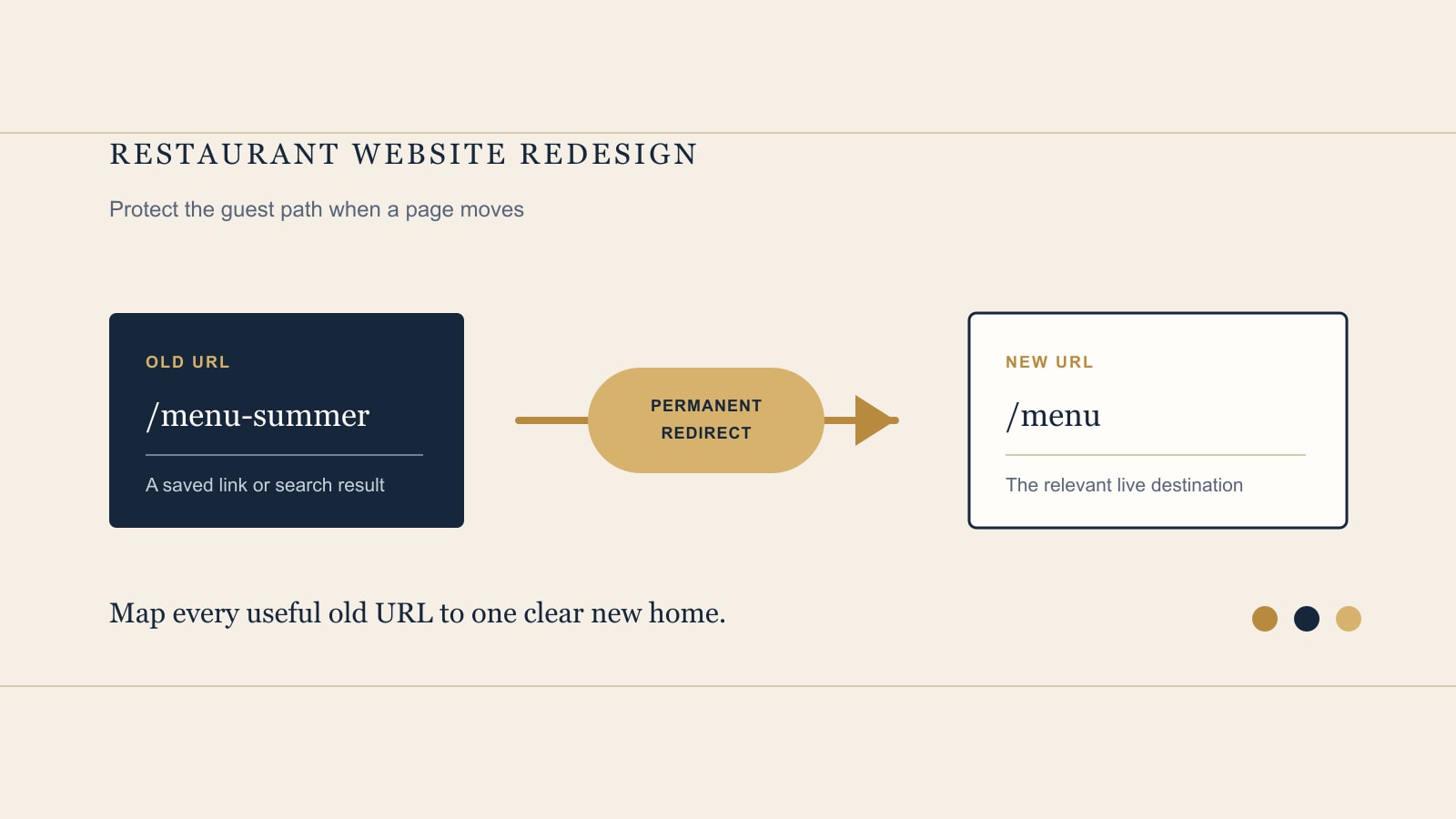
Create a two-column redirect map before launch. In the first column, list each old URL. In the second, list the exact new page that answers the same guest need. Include pages that seem minor, such as a seasonal menu PDF, event page, location page, or older booking landing page if people still reach it through a saved link or search result.
Use server-side permanent redirects, such as 301 or 308, from the old URL directly to the new URL. Avoid redirect chains, where an old page goes to an intermediate page and then another page. They add an unnecessary step for guests and make the path harder to maintain. Do not send unrelated old pages to the home page just because it is convenient. If no relevant replacement exists, let the old URL return an appropriate 404 or 410 response instead.
Keep this map as a handover document. It is the clearest record of what moved, what intentionally ended, and what should be tested again after a future update.
4. Prepare the new site for guests and search
On the new site, update internal links so navigation, buttons, and in-page links go straight to the new pages, not through redirects. Check that every live page has the correct self-referencing canonical URL. Update the XML sitemap to contain the new URLs, then submit it in Search Console. A sitemap can help search engines discover URLs, but it does not guarantee that every URL will be indexed.
Before launch, check the migration leftovers that are easy to miss: a site-wide noindex tag, development-only robots.txt rules, a password gate, a test analytics property, or a booking button still pointing to a staging address. Google specifically calls out accidental noindex and robots blocks as site-move mistakes that can stop pages appearing in search.
Keep the redesign focused. If the venue is also changing its domain, booking provider, menu structure, and copy, plan the sequence rather than treating every change as one indistinguishable launch. The more clearly you can test each change, the easier it is to find the source of a problem.
5. Test the guest path before launch
Use a phone and a desktop browser, preferably without an existing login or cached session. Start from the new homepage as someone who has never visited before. Find the current menu. Book a table or begin a stay enquiry. Try an order if that is part of the venue. Call, get directions, find opening hours, and send a contact or private-dining enquiry. Follow each path to its final confirmation screen without placing a real order or booking.
Then test the old URLs from your redirect map. Each important one should land on the intended final page in a single hop. Check the canonical URL, internal links, page title, menu files, maps, contact details, and the form confirmation. This is also the moment to test whether an old bookmarked page produces a useful result rather than a generic dead end.
For a compact review of the essentials, use the free Restaurant Website Quick Score. It helps turn what you find into three clear priorities before launch.
6. Launch, watch, and hand over
Once the new site is live, submit the new sitemap in Search Console and monitor both the old and new URLs. Look for 404 reports, crawl errors, unexpected indexing issues, and redirect mistakes. Check analytics for the primary landing pages, and watch the booking, ordering, and enquiry paths as real guests begin using them. Compare what you see with the baseline, without assuming that every short-term movement has one simple cause.
Expect search visibility to fluctuate temporarily during a URL-changing move while the new URLs are discovered and indexed. Keep permanent redirects for at least one year. Review them again before any server, platform, or domain change so a later tidy-up does not remove a still-useful route.
Finish with a handover pack: account owners and renewal dates, access instructions, the redirect map, current sitemap location, analytics and Search Console access, booking and ordering destinations, backup or export instructions, and the name of the person responsible for routine checks. A good redesign leaves the venue with a site it can understand and look after.
Want a simple structure for your first pass?
The free Restaurant Website Quick Score walks through nine guest essentials and turns what you notice into three practical priorities.
Try the free Restaurant Website Quick ScoreWant a detailed check before redesign work starts?
The US$35 Website Check reviews your live site and gives you a short, practical priority list for menu and booking paths, guest clarity, and search visibility before a redesign moves ahead.
See the Website CheckSources
- Google Search Central, Site Moves and Migrations
- Google Search Central, Redirects and Google Search
- Google Search Central, What Is a Sitemap