
The short answer is to choose the editing model your venue can sustain
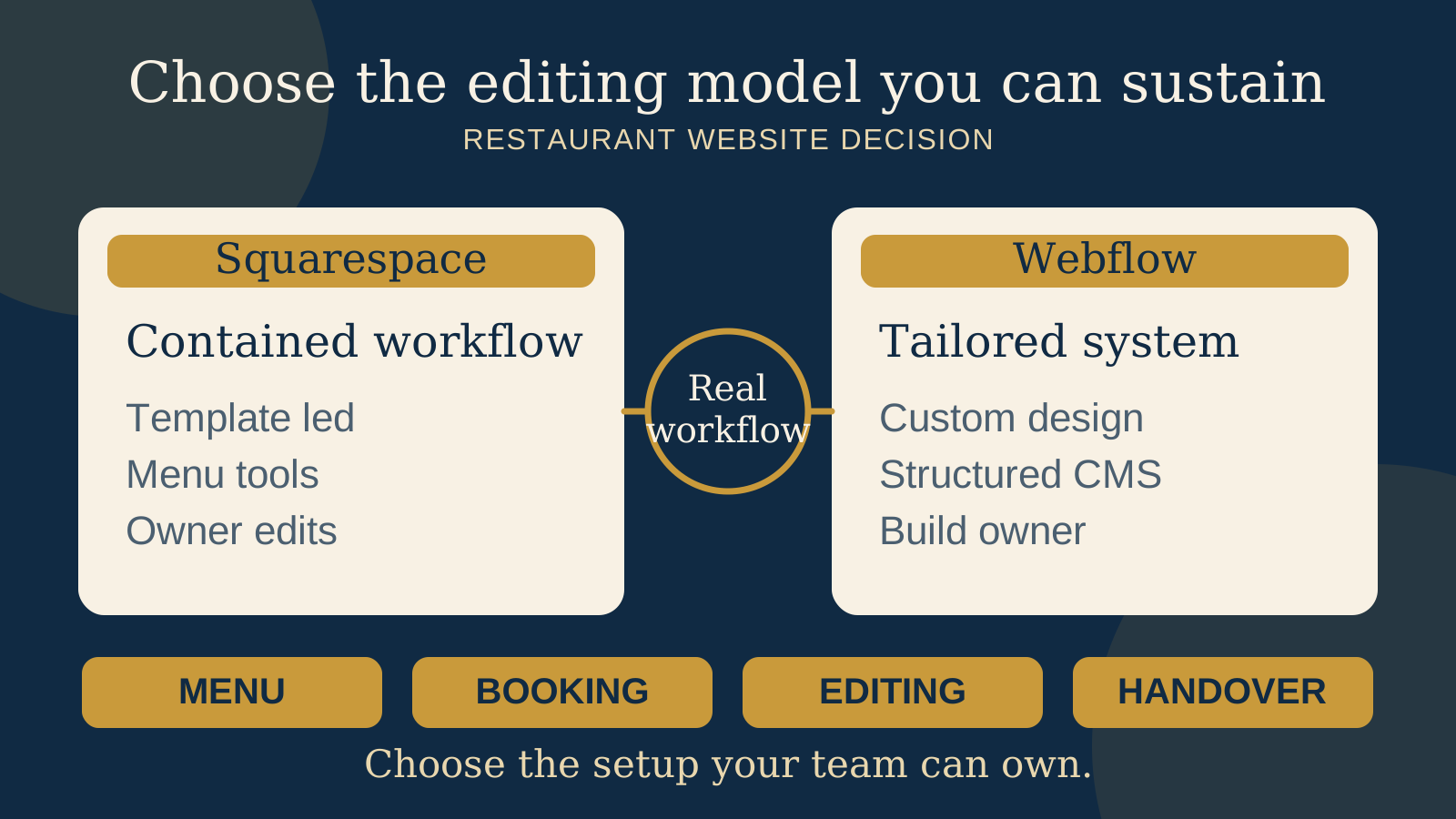
There is no automatic winner. Squarespace is often easier when an independent restaurant or cafe wants an integrated, template led website, a familiar self service editor, and menu content that can be managed inside the same platform. Webflow is often stronger when the venue values a highly tailored brand system and structured CMS content, provided a capable person owns the build, permissions, and handover.
That conclusion is conditional. A simple Squarespace build can still become confusing if several people change pages without a process. A carefully designed Webflow site can still be easy for an owner to update if the CMS and editing permissions are deliberately limited. The quality of the setup matters as much as the platform name.
Before choosing, ask the person who will make weekly changes to edit one menu item, replace a seasonal image, update a booking link, and publish safely. Then ask who controls billing, the domain, the connected services, and the site if the current designer leaves.
Understand what each platform is optimising for
Squarespace presents restaurant specific website options for menus, reservations, event calendars, and ecommerce. Its help centre documents a restaurant setup that brings pages, design, menu content, and links to guest actions into one hosted service. That contained setup is useful when an owner wants to choose a visual starting point, adapt it, and keep ordinary content work in one account.
Webflow is a visual website design platform with a CMS for structured content. A designer can define reusable Collections and fields, then use those records across consistent layouts. That can suit a brand with several locations, recurring events, chef profiles, journal stories, or menu categories that need to follow a deliberate visual system.
The distinction is not “basic” versus “professional.” Both can support a polished restaurant website. The practical distinction is how much of the design and content structure should be predetermined, who is expected to shape it, and how much freedom the daily editor should have.
Test the menu workflow with a real service change
Squarespace documents Menu blocks for adding formatted restaurant menus to a page. Its restaurant site guidance also explains ways to display menus and organise restaurant content. For a venue that wants one place to update menu text without designing a separate content system, that can be a direct route.
Webflow does not make the restaurant menu decision for you. The builder can create a structured menu CMS with fields for category, dish, description, dietary notes, price, location, and availability. This can be useful when the same content needs to appear in several views or follow strict styling. It also means the builder must decide how the records relate, which fields staff can edit, and what happens when an item is temporarily unavailable.
Run a practical test. Remove a sold out dish, change a price, add a dietary note, and publish from a phone or the device the team will actually use. Confirm that the public page, navigation, search result preview where relevant, and any linked ordering menu still make sense. If a PDF remains part of the workflow, record who replaces it and how guests can tell it is current.
For more detail on permissions and safe publishing, read our guide to restaurant website CMS menu updates.
Treat bookings and ordering as separate service decisions
Squarespace markets restaurant pages that can lead guests to reservations and ecommerce, and its help guidance covers restaurant setup. This confirms that the platform provides routes for those guest actions. It does not confirm that your reservation provider, ordering service, country, account, or preferred handoff will behave exactly as you need.
Webflow can place a booking or ordering link, embed, or supported integration into a tailored layout. The visual freedom can help a venue explain policies and guide guests before the handoff. The external service still controls its own availability, checkout, confirmation, fees, account access, and technical behaviour.
For either platform, check the service separately. Start on the live website on a phone, select a date or order, follow the complete handoff, inspect policies and total costs, and reach the confirmation. Test what happens when no table is available, a location is closed, or the external service fails to load. Do not choose a website platform on the assumption that a familiar logo guarantees a clean guest journey.
Compare design freedom with the content structure you really need
Squarespace is usually the calmer starting point when the venue can work well within a selected design system. The owner can focus on photography, type choices, pages, menus, events, and calls to action without commissioning every layout rule from the beginning. A strong result still needs restraint, careful mobile checks, and consistent image treatment.
Webflow offers a designer more control over layout, interaction, responsive behaviour, and reusable design rules. Its CMS can keep structured content separate from the visual template. That can be valuable when a restaurant wants a distinctive editorial feel or has repeated content that should remain consistent across many pages.
More flexibility should solve a named requirement. If the venue needs only a homepage, menu, story, gallery, visit details, and one booking link, a complex CMS may add work without improving the guest experience. If several locations, menus, events, or stories must share one brand system while keeping their own facts, the structure may justify the build effort.
Put the usual editor in the decision, not only the launch team
Ask who will make changes during service week. If it is the owner or venue manager, show them the real editor before signing. They should be able to find the right item, understand what can change, preview the result, and recover from a mistake without opening the design system.
Squarespace may feel more familiar to a self managing owner because page and restaurant content tools sit within one hosted product. The useful test is whether the chosen template and page structure stay understandable after the designer leaves. Give each contributor their own access and document which person can change billing, site ownership, design, content, and connected services.
Webflow can provide a focused editing experience when the builder has created clear CMS fields and restricted day to day changes to content. It can feel much harder when staff are expected to edit the underlying design, layout, or collection structure. Ask the builder to separate routine venue tasks from structural design tasks, then include both routes in training.
Compare the complete cost, including the people and services around the plan
Do not compare only the first subscription figure. Squarespace and Webflow both have plan levels, and the right plan depends on the site and features in use. Webflow's official guidance says Site plan limits vary by plan, including CMS related limits. Check the current official plan details against the actual build before purchase or launch.
Build a twelve month cost view that includes the site plan, domain, reservation service, ordering service, email or ecommerce tools, paid integrations, implementation, content entry, training, maintenance, and future changes. Include staff time. An editor that looks inexpensive but requires the owner to call a designer for every seasonal update has a different operating cost from one the team can confidently maintain.
Plan names, limits, and billing terms can change. Confirm them in the account or a written scope at the time of purchase. Our guide to what a restaurant website quote should include can help you compare the website, connected services, and handover as one decision.
Set ownership, billing, transfer, and handover before launch
The restaurant should know who controls the domain, site account, billing, original photography, copy, CMS content, analytics, reservation account, ordering account, and recovery methods. Use individual contributor access where available. Avoid building the venue's only path into an account that belongs personally to a temporary supplier.
Squarespace documents a process for transferring site ownership to another contributor. That is useful, but a transfer should be planned rather than assumed. Confirm the intended owner has accepted access, can reach billing and domain settings that belong in their care, and knows which external accounts are separate from the site.
Webflow documents transfers between Workspaces and distinguishes the site from its plan and account context. The exact transfer route depends on how the site and Workspace are set up. Ask the builder to demonstrate the proposed handover path before launch, state whether any plan must be moved or repurchased, and list anything that remains in the builder's Workspace.
A complete handover includes a short site map, content model, editor roles, billing record, domain and DNS record, connected services, original assets, analytics access, recovery method, launch checks, and a note explaining what a future supplier can change safely. Transfer capability is not the same as a finished handover.
Use this decision checklist with your real venue
| Decision area | Squarespace often fits when | Webflow often fits when |
|---|---|---|
| Starting point | A template led, hosted restaurant site covers the needed pages and actions | A tailored visual system is a clear business requirement |
| Menu content | The owner wants a direct menu editing route inside the site | Menus or other records benefit from a deliberately structured CMS |
| Daily editing | The venue wants familiar self service page and content editing | A builder can create and support a focused content editing experience |
| Build ownership | The venue wants fewer structural decisions and one contained product | A named person owns design structure, CMS architecture, testing, and training |
| Handover | Site ownership will be transferred to the right contributor with billing and services checked | The Workspace, Site plan, permissions, assets, and transfer route are documented and demonstrated |
- Write down the pages, locations, menu types, events, stories, and guest actions the site genuinely needs.
- Build one real menu and ask the usual editor to change a dish, price, image, and availability note.
- Complete a booking or order on a phone, including an unavailable option and the final confirmation.
- Mark which tasks staff can handle, which need a designer, and who supports each one.
- Compare the complete annual cost, including connected services, implementation, training, maintenance, and staff time.
- Confirm owner access, billing, domain, recovery, contributor permissions, external accounts, and the exact transfer route.
- Ask for a handover using a copy or test setup before the live site depends on it.
Choose Squarespace when the contained workflow helps your team keep essential content current without unnecessary structure. Choose Webflow when the restaurant benefits from a more tailored design and structured CMS, and a named builder or internal owner can make that system understandable. Check reservation and ordering services separately in both cases.
Start with the free Restaurant Website Quick Score
Use the free Restaurant Website Quick Score to review nine guest essentials and receive three practical priorities. It can help you see whether the real need is a platform change, or a clearer menu, booking path, location detail, or mobile experience.
Want a practical review before you choose?
The US$35 Website Check reviews the live mobile journey, menu access, booking or ordering path, essential venue details, visual clarity, and search basics. Use it to turn a broad platform question into a focused brief for the site your restaurant actually needs.
Get the US$35 Website CheckSources
- Squarespace, restaurant websites
- Squarespace Help Center, building a restaurant site
- Squarespace Help Center, Menu blocks
- Squarespace Help Center, changing the site owner
- Webflow, plans and pricing
- Webflow Help Center, choosing a Site plan
- Webflow University, introduction to Webflow CMS
- Webflow Help Center, transferring a site or plan to another Workspace
Official product and help pages checked October 18, 2026. Features, plan limits, billing, transfer routes, and connected service availability can change. Confirm the current setup for your account, location, and chosen external services before committing.