
The short answer is to make the room easy to identify, judge, and book
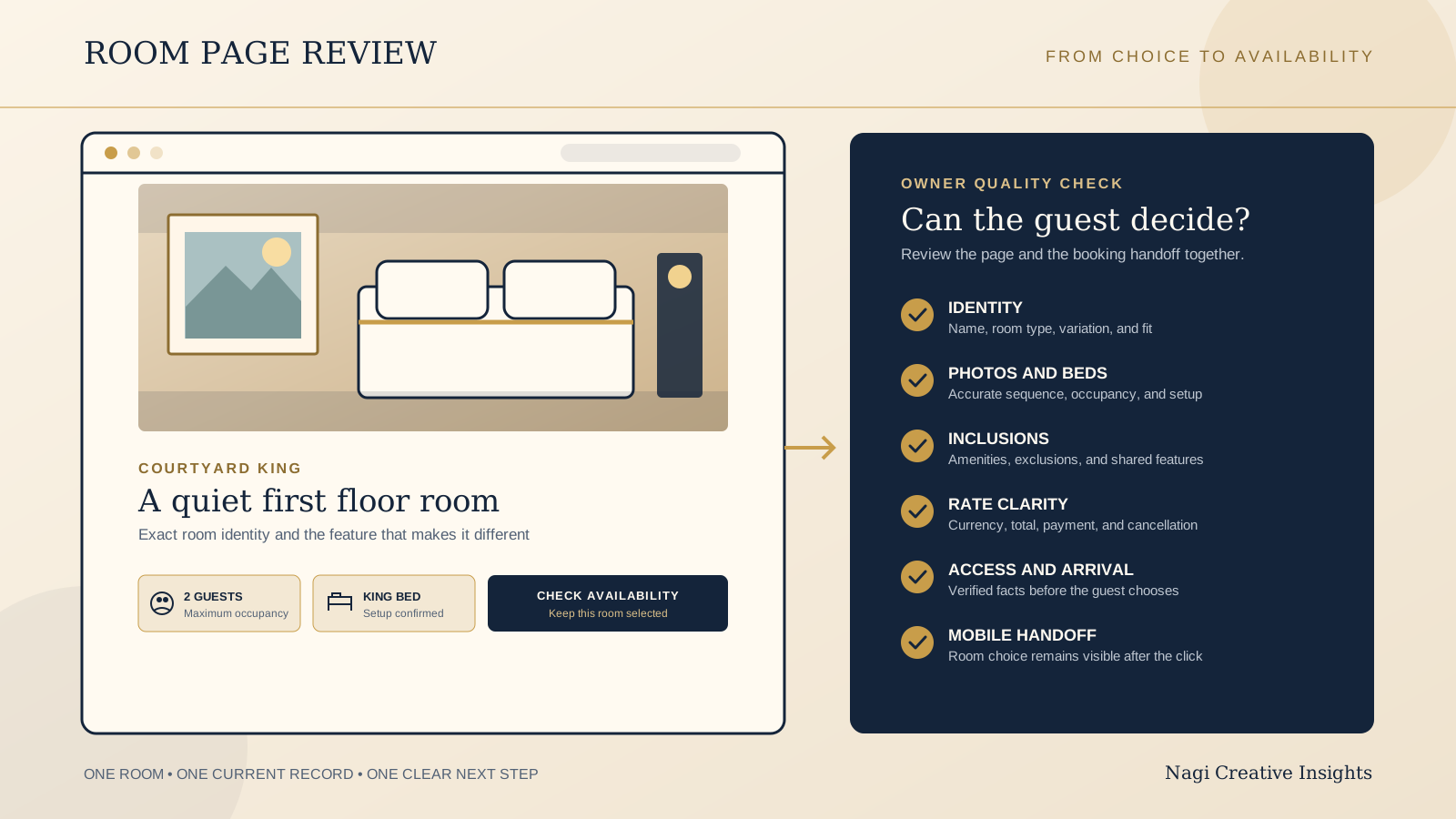
Show the room as a specific choice, not a beautiful but vague part of the property. Give it a clear name, an honest photo sequence, the complete bed and occupancy setup, important inclusions and exclusions, rate context, policy facts, accessibility information, arrival details, and one obvious next step.
The page does not need to duplicate every field in your booking engine. Its job is to help someone decide whether this room suits their stay. The booking system should then confirm live dates, rates, conditions, and payment. Review the page and the handoff together, because a clear room description followed by a generic booking screen still makes the guest restart the decision.
Use this checklist on one real room page at a time. Open the live page, the corresponding booking result, and the room record your staff treats as current. Differences between those three views are the most useful issues to find.
Start with room identity and who it fits
The first screen should make the room recognisable. Use the same room or room type name that appears in the booking system and confirmation. Add one plain sentence explaining the most important distinction, such as a separate bedroom, private terrace, ground floor position, sea outlook, or quieter location at the back of the property.
State whether the photographs and details describe the exact room or a room type with variations. If layout, outlook, floor, furniture, or bathroom arrangement can differ, say what is guaranteed and what may vary. A guest should not have to infer whether the corner window in the lead image belongs to every room in that category.
Useful identity facts may include floor area, room location, bedroom count, private or shared spaces, outdoor space, and the view. Keep descriptions concrete. “Courtyard facing room on the first floor” helps a guest more than “an unforgettable sanctuary.”
Use an accurate photo sequence, not just a gallery
Lead with the view that best explains the room, usually a wide but realistic image showing the bed, circulation space, and natural light. Then let the sequence answer practical questions. Show a second angle, the bathroom, storage or workspace, the outlook or outdoor area if promised, and any feature that meaningfully separates this room from another.
Keep the set current and label genuine variations. Avoid combining the best bathroom from one unit, the best view from another, and a third layout without explanation. If a photograph uses a wide lens, include enough straight architectural reference to keep the sense of space honest. Captions can identify what the guest is seeing when the image alone is ambiguous.
Each image should have useful alternative text when it carries information. Decorative images can use empty alternative text. Choose crops that still reveal the room on a phone, and compress files so the first useful view does not arrive after the rest of the page. The hospitality website photography checklist is written around restaurants, but its approach to shot purpose, accurate details, flexible crops, permissions, and file handoff applies to a stay photo library too.
Spell out occupancy and bed setup
Put maximum occupancy beside the actual sleeping arrangement. Say how many adults and children the room accepts, whether infants count toward the limit, and whether a cot, rollaway bed, or sofa bed is available. If an extra bed must be requested, costs more, or fits only in certain units, state that before the guest checks out.
Name the bed setup in terms a traveller can understand. Include bed size or dimensions where regional labels may be unclear. Explain whether twins can join, whether a double can split, and whether the sofa bed is part of the standard setup or prepared only for an added guest. For suites and family rooms, identify which beds are behind a door and which are in a shared living area.
Do not let a booking engine occupancy selector carry all of this meaning. A couple, family, friends, and a guest travelling with a carer may all read “sleeps four” differently. The room page should reveal the real arrangement before dates and payment enter the conversation.
Show the amenities that shape the stay, plus important exclusions
Prioritise amenities that change comfort or suitability: private bathroom, shower or bath, climate control, opening windows, reliable internet, workspace, kitchen facilities, refrigerator, safe, blackout treatment, laundry access, housekeeping, and included breakfast. Use text with icons so the meaning does not depend on a symbol.
Then name exclusions that can surprise a guest. Examples include no lift access, no television, no cooking facilities, shared bathroom, limited hot water, no daily housekeeping, no parking, seasonal air conditioning, or breakfast sold separately. An exclusion is not automatically a weakness. Hidden expectations are the problem.
Separate room amenities from property amenities. A pool elsewhere on the grounds should not look like a private feature of the room. Note opening seasons, hours, reservation needs, age limits, or additional charges where they materially affect use. Keep the list aligned with the corresponding room in your booking system and active listings.
Make rates, taxes, payment, and cancellation easy to compare
If the page shows a starting price, label the currency, occupancy basis, and what the amount represents. Make clear whether taxes and required fees are included, excluded, or confirmed after dates are chosen. Do not present an old promotional price as though it were the current room rate.
Use rate names that reveal the difference. “Flexible, breakfast included” and “Advance purchase, no changes” give the guest a useful starting point. The live booking step should then show the exact total, inclusions, cancellation deadline, change conditions, payment timing, deposit, and any amount due at the property before the guest commits.
Keep policy summaries consistent with the full terms and the confirmation. If conditions vary by rate, season, length of stay, or arrival date, do not collapse them into one confident sentence. Link to the complete current policy, but keep the decision changing facts visible where the rate is selected. This is practical content guidance, not legal advice, so confirm your own terms and local requirements with the appropriate adviser.
Preserve the room choice through the availability handoff
The main action should say what will happen, such as “Check availability for this room.” If your setup supports it, carry the selected room or room type into the booking engine. After the click, show that selection prominently, preserve the dates and occupancy already entered, and make any rate choice easy to recognise.
Google Hotel Center says a traveller using a free booking link can be sent to the landing page supplied by the provider. Its current best practice is to send the traveller directly to the selected room and rate, display that selection clearly, keep the price data accurate, and keep the page functional. Google also says free booking link ranking uses several signals, including value, landing page experience, and historical price accuracy.
Those points are useful standards for any booking handoff, but a normal room page does not by itself create free booking link eligibility, availability, or ranking. That wider setup depends on Hotel Center data and the property's booking or connectivity arrangement. The boutique hotel direct booking guide covers that channel and systems decision separately.
Test failures as carefully as success. When the room is unavailable, offer a clear route to suitable alternatives or new dates. Never silently replace it with a different room. If the booking engine opens in another tab or domain, keep property name, room name, currency, and visual context recognisable.
Include verified accessibility and arrival facts
Describe the real route to the room. Note steps, lift access, path surface, narrow points, door or threshold conditions, and the distance from parking or reception when these affect access. Inside the room, verified facts may include circulation space, bed height, doorway width, bathroom layout, grab rails, shower threshold, seating, lighting controls, and alarm information.
Avoid claiming that a room is “fully accessible” without defined evidence. Measurements and photographs often help a guest make a better decision than a broad label. Give a direct contact route for questions or requests, and make clear which features are guaranteed versus available only in selected rooms.
Add the arrival facts a guest needs before choosing: check in and check out windows, reception hours, after hours process, key collection, parking arrangements, drop off point, luggage storage, stairs between arrival and the room, and any advance notice required. Do not hide a complicated arrival inside the confirmation if it could change whether the room is suitable.
Validate the page and booking step on a phone
Test the page on a real phone using ordinary mobile data. The room name, lead image, key fit facts, and availability action should appear without requiring a long hunt. Make sure a fixed booking button does not cover text, policy links, form controls, or the final price.
Open every image, expand every detail, choose dates and occupancy, follow the availability action, compare rates, read the cancellation terms, trigger a form error, and return to the room page. Check that the selected room survives the handoff and that going back does not erase useful context.
Repeat the test with larger text and without relying on hover. Controls need clear labels, sufficient contrast, visible focus, and comfortable tap targets. The mobile website checklist uses a restaurant booking path, but its method of testing the real action, errors, reflow, and return path is equally useful here.
Run this owner quality check on one live room page
- Identity: Does the page use the same room name as availability, checkout, and confirmation?
- Fit: Can a guest tell who the room suits, which spaces are private, and what may vary between units?
- Photographs: Does the sequence show the room, bathroom, outlook, and distinguishing features accurately?
- Occupancy: Are adult, child, and infant limits clear, along with every standard or optional bed?
- Amenities: Are important inclusions, exclusions, seasonal limits, and additional charges written plainly?
- Rates: Are currency, occupancy basis, taxes, fees, inclusions, payment timing, and cancellation conditions clear at the relevant step?
- Availability: Does the main action reach the selected room, or clearly explain why the guest needs to choose again?
- Accessibility: Are access facts specific, verified, and supported by a useful contact route?
- Arrival: Could check in, key collection, parking, reception hours, or stairs change the guest's choice?
- Mobile: Can someone read, compare, check dates, understand the total, recover from an error, and return without losing context?
- Consistency: Does the same room record agree across the website, booking engine, active listings, and staff source of truth?
- Ownership: Is one person responsible for checking the page after a room, rate, policy, or arrival detail changes?
Write each issue as an observable mismatch or missing decision, not as a broad redesign request. “The room page says king bed, while checkout says queen” gives the team something precise to resolve. Start with facts that could make a guest choose the wrong room, then fix friction in the path to availability.
Run a restaurant or cafe alongside your stay?
The US$35 Website Check is designed for restaurant and cafe websites, not hotel room pages or booking systems. If your property also has a restaurant or cafe with its own website, the check can review that guest journey. For rooms, use the checklist above and ask your booking provider to test live rates, availability, payment, and confirmation.
See the US$35 restaurant and cafe Website CheckSources
- Google Hotel Center Help, About hotel free booking links
- Google Hotel Center Help, Best practices for free booking links