
The short answer is to make the next owner and next action visible
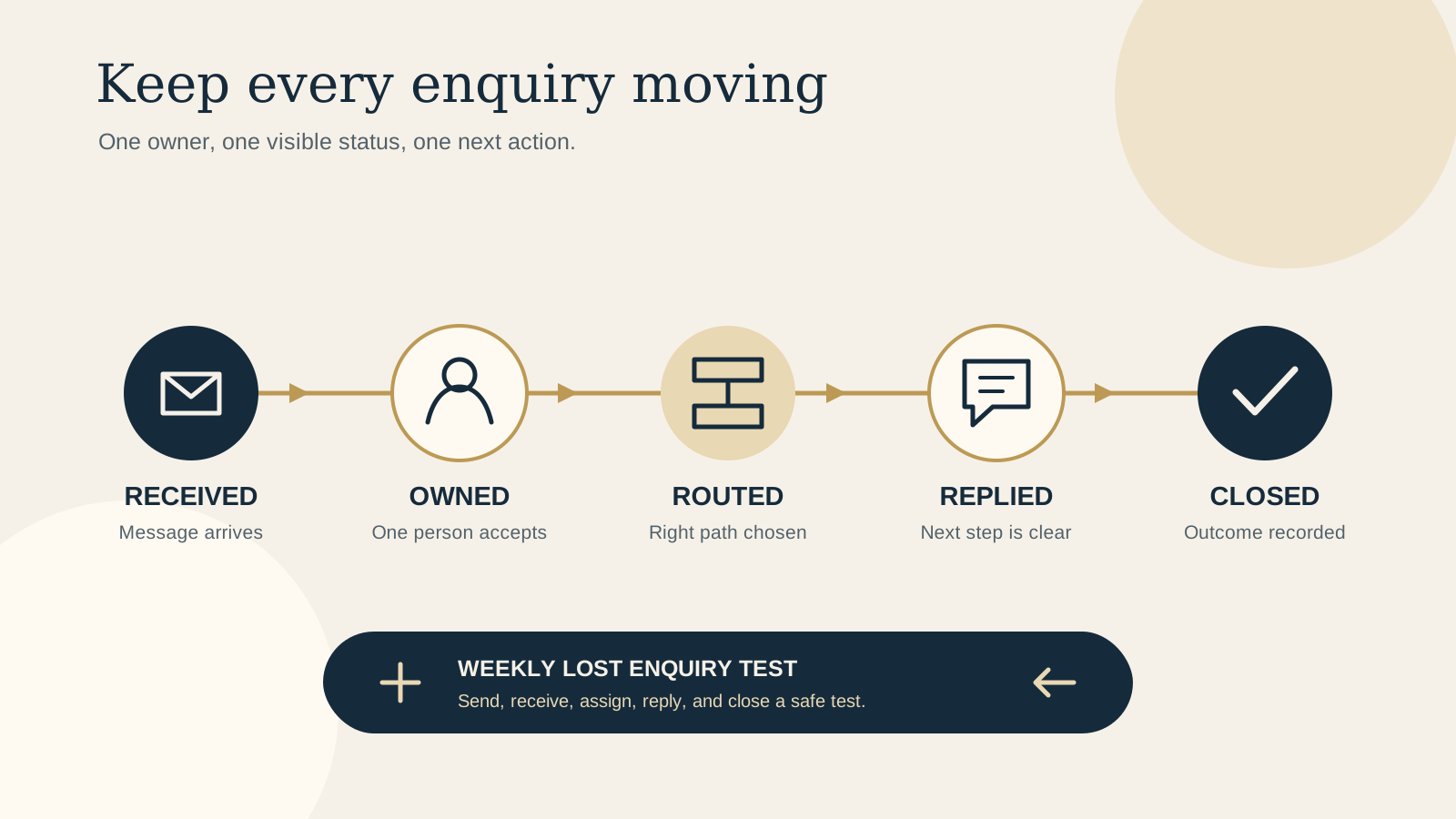
A successful form submission is only the start. The message still needs to reach a person who can recognise it, decide what it needs, reply, and confirm that the work is finished.
You do not need a large customer system to make that happen. Start with one receiving place, one person accountable for the first check, and a small shared list. The list can live in a spreadsheet, a task board, or another tool the team already opens every day. The important part is that it shows the same few facts for every enquiry.
If the form itself is unclear or asks for the wrong details, begin with the restaurant contact form checklist. This guide covers what happens after the guest presses send.
Name one person who owns the first check
Choose one role, not a vague group, to check new website enquiries. For a small restaurant, that might be the duty manager. For a cafe, it could be the owner or venue manager. For a boutique stay, it may be the person already responsible for reservations.
Write a backup into the same rule. If the usual owner is away, the backup takes the check for that shift or day. Avoid a setup where several people receive the message but everyone assumes someone else has it.
The first owner does not need to answer every question. Their job is to confirm the message arrived, add it to the visible list, choose the right route, and make the next owner explicit.
Acknowledge receipt without making a promise the team cannot keep
Show an immediate confirmation on the website and send a receipt message when the form setup allows it. Tell the guest what was received, which team or venue will review it, and what to do if the matter is urgent.
Keep the acknowledgement honest. “We received your private dining enquiry” is useful. “We will reply within one hour” is only useful if someone is actually scheduled to meet that expectation. For same day changes, direct the guest to the phone or booking route that staff monitor during service.
An automatic receipt is not the reply. In the team list, the enquiry should still be marked as new until a person takes ownership.
Use a few categories that match real responsibilities
Categories should change who handles the request or what happens next. A small venue might use four: general question, booking or stay, private event, and supplier or work enquiry. Add a category only when it has a different owner or process.
Write the routing rule in plain language. Private events go to the events lead. Room questions go to reservations. Same day booking changes go to the service phone. Everything else stays with the first owner until someone accepts it.
If the website already asks guests to choose an enquiry type, use that answer as a useful starting point, then let the first owner correct it. Guests should not need to understand the venue's internal structure to reach the right person.
Keep one visible status for every open enquiry
Use a small set of status labels that describe what the team must do next:
- New: received, but no person has accepted it yet.
- Assigned: a named person owns the next reply or check.
- Waiting: the team has asked the guest or another person for information.
- Replied: the guest has received an answer, quote, or next step.
- Closed: the request is resolved, declined clearly, or no longer active.
Each open row needs the guest name, enquiry type, received time, owner, status, and next action. If the next action depends on a date, record that date too. Do not use a private personal note as the only record when another team member may need to pick up the conversation.
Set a reply standard that helps the next conversation
A useful first reply confirms what the team understood, answers what can be answered now, and names the next step. If more information is needed, ask focused questions rather than sending the guest back to complete the whole story again.
Keep a few approved starting points for frequent enquiries, but edit them before sending. A private dining reply may confirm the requested date and group size before asking about format or timing. A boutique stay reply may confirm intended dates before directing the guest to live availability. A general answer should link to the exact menu, access detail, or policy when that is clearer than a long email.
Sign with a person or team name and keep the reply in the shared record. The goal is continuity if the conversation moves to another shift.
Define what gets escalated, to whom, and when
Some enquiries need a decision the first owner cannot make. Write a short escalation list for requests involving a complaint, safety concern, accessibility barrier, payment issue, large event commitment, unusual policy exception, or personal information sent in error.
For each case, name the person who can decide and the route used to reach them. The handoff should include the guest's request, what has already happened, the decision needed, and when the guest expects an answer. Forwarding a message without naming the decision still leaves ownership unclear.
The first owner keeps responsibility until the receiving person accepts the handoff. That small confirmation prevents an urgent message from sitting between two inboxes.
Close the loop and keep only useful records
Mark an enquiry closed only after the guest has a clear outcome or the team has recorded why no further action is needed. A quote sent with a follow up date may still be open. A question answered fully can be closed. A request the venue cannot accommodate should receive a clear answer before closure.
Use one short outcome label if it will help future decisions, such as booked, declined, answered, or no response. Avoid collecting extra personal detail just because the list makes it easy. Decide who can see the record, how corrections are made, and when old enquiry details are removed according to the venue's real needs and applicable obligations.
Review patterns, not private stories. If the same question appears often, improve the relevant website page or form option so future guests get a clearer path.
Run a weekly lost enquiry test
Once a week, send a safe test enquiry through each important website route. Use an address the team controls and make the message obviously a test. Follow it from the website confirmation to the receiving inbox and shared list.
- Did the website show a clear success message?
- Did the receipt reach the test address?
- Did the enquiry arrive in the expected team inbox?
- Could the first owner see it and add or update the shared record?
- Did the category send it to the correct person?
- Could another team member see the owner, status, and next action?
- Could the team mark the test replied and closed without losing the conversation?
Also scan the open list for any item with no owner, no next action, or a date that has passed. Fix the workflow when a test fails, then test that exact route again. Add this check to the broader restaurant website maintenance routine so it does not depend on someone remembering.
Copy this light workflow
| Stage | Owner | Required action | Visible record |
|---|---|---|---|
| Receive | First check owner | Confirm arrival and create the record. | Received time and New status |
| Route | First check owner | Choose the category and named next owner. | Category, owner, and Assigned status |
| Reply | Assigned owner | Answer, ask a focused question, or give the next step. | Next action and due date if needed |
| Escalate | Assigned owner | Name the decision and get acceptance from the decision owner. | Decision owner and expected answer |
| Close | Current owner | Confirm the outcome and record a useful label. | Closed status and outcome |
Start with the free Restaurant Website Quick Score
The free Restaurant Website Quick Score checks nine guest essentials and returns three practical priorities. Use it to review the wider path around your enquiry form, including contact details, booking, menu, and mobile clarity.
Want a practical review of the current enquiry journey?
The US$35 Website Check reviews the live mobile journey, menu, booking or ordering path, essential venue details, visual clarity, and search basics. It can help you spot where a guest enquiry starts with missing context or reaches a confusing next step.
Get the US$35 Website Check