
The short answer is to offer only the paths your team can run well
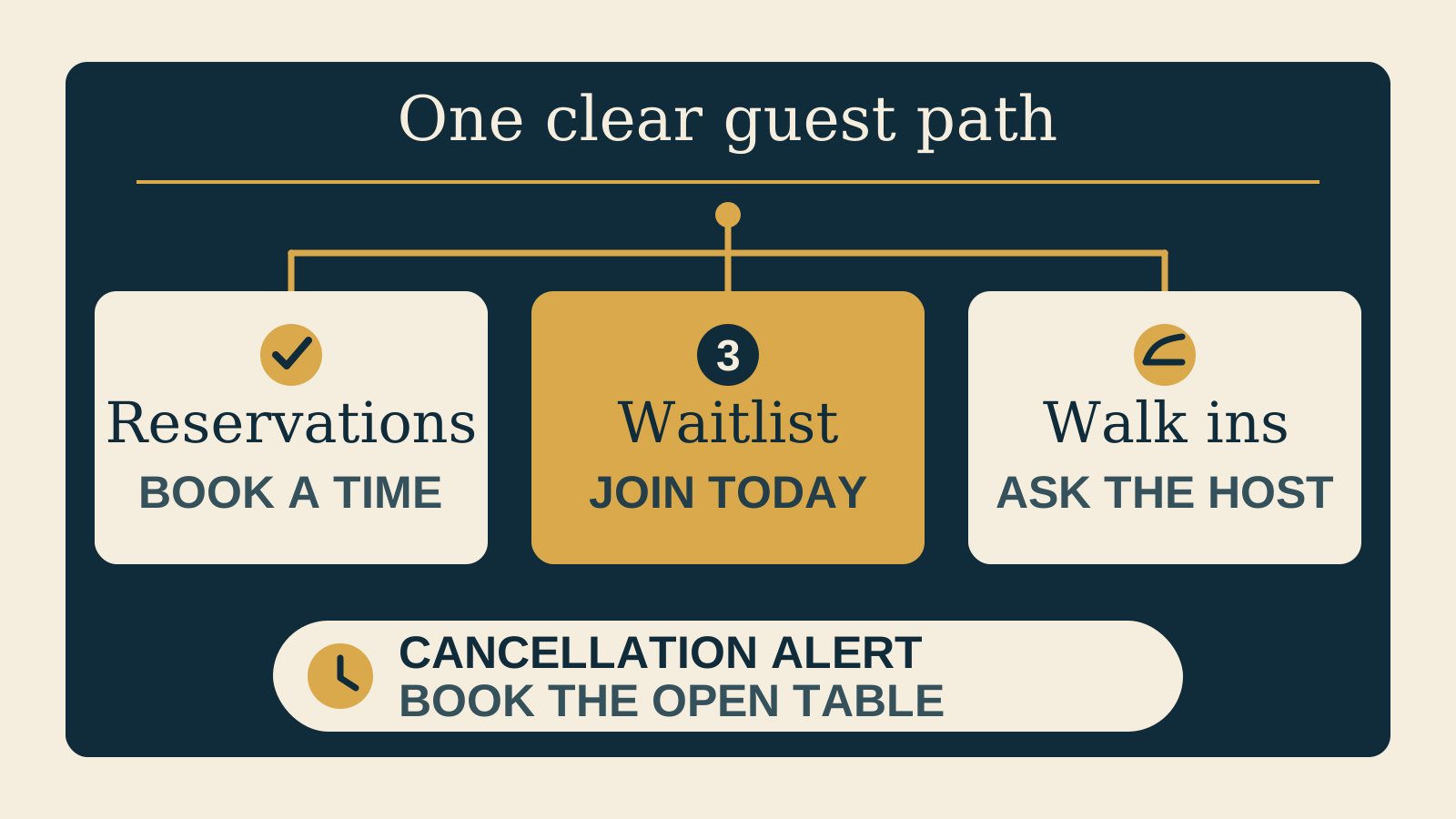
A restaurant does not automatically need both reservations and a waitlist. It needs a guest path that matches how tables are actually managed during service.
Use reservations when the venue releases predictable inventory in advance. Use a same day waitlist when service is led by walk in demand and the team actively manages a queue. Use clear walk in messaging when unreserved capacity is available but there is no useful digital queue to join. Combine them only when staff can explain and operate each path without overlap.
The website’s job is to set the right expectation before a guest taps. A button labelled “Book” is too vague when it might open a future reservation calendar, today’s queue, or a notification request.
Reservations, waitlists, alerts, and walk ins mean different things
A reservation confirms a time, subject to the venue policy
A reservation is for a future or same day time that the booking flow presents as available. The guest completes the required details and receives confirmation under the restaurant’s stated terms. If the venue uses deposits, card holds, cancellation rules, or arrival limits, explain those before the guest continues. Our guide to restaurant booking deposits and policies covers that disclosure in more detail.
An online waitlist is access to today’s queue
An online waitlist is not a guaranteed reservation. It lets a guest join or request a place in the current queue, then follow the venue’s wait and arrival instructions. OpenTable’s waitlist information describes joining a line before arrival, quoted wait times, and guest notifications. Toast’s setup guide treats waitlist operation as its own workflow for the host team.
A cancellation alert is an invitation to try booking released inventory
A cancellation alert watches for reservation availability. It is not a walk in queue and does not hold a table by itself. Resy’s reservations and waitlists overview describes Notify as an alert when a table becomes available. The guest still needs to act on the opening and complete the reservation.
Walk in availability is an invitation to arrive, not a promise of a table
Walk in messaging tells guests that the venue keeps some or all capacity unreserved. It should also state what happens on arrival. If there may be a wait, say that availability and timing are confirmed by the host at the venue. Do not turn “Walk ins welcome” into an implied guarantee.
Choose the lightest model that matches the service
Start with the operating model, not the software menu. The right choice is the one the host team can keep accurate during a real service.
| Service reality | Best starting model | Website action |
|---|---|---|
| Tables are released in predictable time slots | Reservations | Reserve a table |
| Most seating is managed from today’s arrival queue | Same day waitlist | Join today’s waitlist |
| Guests can arrive without a digital queue | Walk in guidance | See walk in availability |
| Some inventory is reserved and some stays open for arrivals | Deliberate hybrid | Show separate reservation and walk in paths |
A hybrid can be useful when the venue genuinely splits capacity, service periods, spaces, or party sizes. It is not automatically better. Every additional path creates another label, rule, status, and fallback that staff must keep current.
If a booking path is right, also decide whether it belongs on the page or opens in a separate service. Our comparison of a restaurant booking widget or link can help with that next choice.
Write labels and limits before adding the buttons
The website should answer the practical questions that change what a guest does next:
- Use precise labels: “Reserve a table” for a reservation and “Join today’s waitlist” for the current queue. Label a cancellation alert as an alert, not a waitlist.
- Say when each path opens: explain when advance reservations are released and when today’s waitlist becomes available, using the venue’s real operating policy.
- State service and party limits: identify the services, seating areas, party sizes, or other real conditions that change which path applies.
- Explain walk in availability: say whether walk ins are welcome, when availability tends to be assessed, and that the host confirms the table and timing.
- Give larger parties a distinct route: if the main tool does not accept them, link to the enquiry or contact path the team actually monitors.
- Keep the promise accurate: do not describe a queue position, alert, or request as a confirmed table.
Place the explanation beside the relevant action. A guest should not need to open terms, call the restaurant, or enter personal details just to learn whether the button is for next month or tonight.
Make a hybrid feel like one clear decision
When a venue accepts reservations and walk ins, lead with the question the guest is already asking. “Planning ahead?” can introduce the reservation action. “Coming today?” can introduce the waitlist or current walk in guidance.
Keep cancellation alerts close to sold out reservation results, not beside the arrival queue. A guest looking for a future Friday table should understand that an alert may help them catch a cancellation. A guest standing nearby tonight should see whether they can join today’s waitlist or ask the host on arrival.
Repeat the distinction anywhere the paths appear, including the homepage, contact page, booking section, and service specific page. If dinner takes reservations but lunch is walk in only, say that in the label rather than relying on the external tool to explain it.
Plan what happens when the tool is unavailable
Every external booking or waitlist tool can become unavailable to a guest or stop loading. Give the page a useful fallback. It might explain that walk in availability is confirmed at the venue, point larger parties to a monitored enquiry form, or ask the guest to try the service again later.
Show a phone or contact route only when the venue can support it. A phone number is not a helpful fallback if nobody can answer during service, staff cannot make reservations by phone, or calls interrupt the host managing the queue. State what the route can do so guests do not expect a phone call to bypass the published process.
Toast’s help guide for online waitlist and reservations separates support for those guest paths. The website should do the same in plain language, even when one provider powers both.
Test the real path on a phone
Do not stop after checking that the button opens. Test the complete guest decision on a phone, using the services and limits that exist in the live setup.
- Start from the homepage Find the reservation, waitlist, or walk in path without using an internal link.
- Read the label first Confirm the action says exactly what the guest is about to do.
- Try the available cases Check a future reservation, today’s queue, a sold out result with an alert, and walk in guidance where those paths exist.
- Check the limits Try a party size or service that uses another route and confirm the page explains the next step.
- Interrupt the tool Check that a guest can recover if the external page does not load or they return to the website.
- Confirm the outcome Make sure a reservation says it is confirmed, while a waitlist join, alert request, or walk in message does not.
A practical guest path launch checklist
- Choose reservations, a same day waitlist, walk in guidance, or a deliberate hybrid from the real service model.
- Use “Reserve a table” and “Join today’s waitlist” only for the matching actions.
- Explain that a waitlist is today’s queue and not a guaranteed reservation.
- Keep cancellation alerts with reservation availability and explain that the guest still needs to book.
- Publish when each path opens and the real party, service, or seating limits.
- State whether walk ins are welcome and how availability is confirmed.
- Give larger parties and unsupported requests a monitored route.
- Add a fallback that remains useful when the external tool is unavailable.
- Show a phone or contact option only when the team can support it.
- Test every live path and outcome on a phone.
Use the free Restaurant Website Quick Score to check whether the booking action, menu, hours, contact details, and other guest essentials are clear before you add another tool.
Want a practical review of the guest journey?
The US$35 Website Check reviews the live mobile path, reservation or arrival actions, menu, essential venue details, visual clarity, and search basics. You receive a focused priority list for making the next step easier to understand.
Get the US$35 Website CheckSources
- OpenTable, waitlist features for restaurants
- Toast, getting started with Toast Waitlist
- Toast, online waitlist and reservations help
- Resy, reservations and waitlists for restaurants