
The short answer
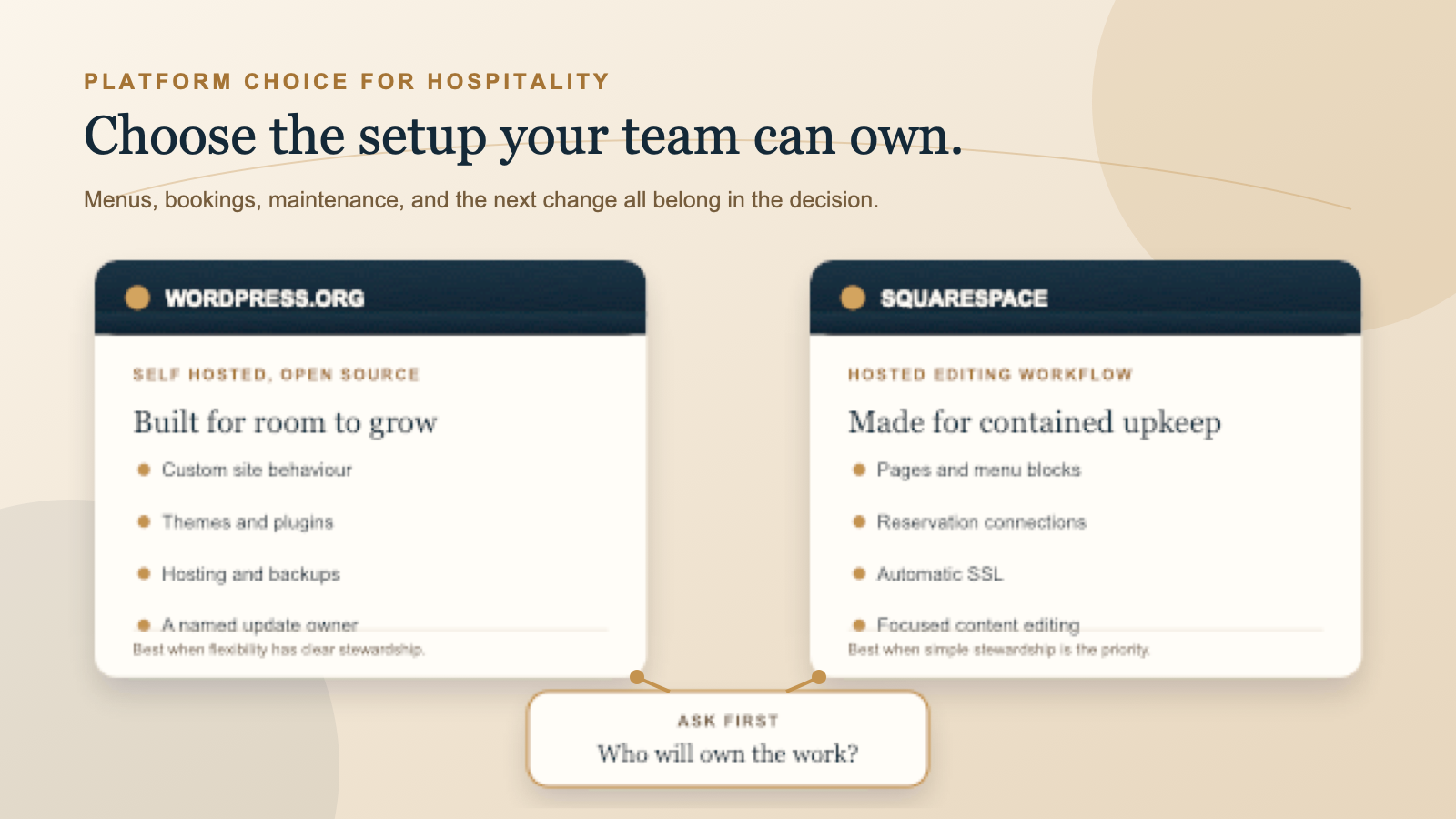
There is no universal winner. A small cafe with a short menu and one booking link may be better served by Squarespace if the owner wants a straightforward hosted place to edit pages and publish updates. A restaurant group, boutique stay, or venue with unusual booking rules may be better served by self hosted WordPress if someone can take responsibility for the technical stack and the site needs to develop beyond a fixed set of blocks.
Make the decision around three questions. Who will own updates and recover from a problem? How much custom behaviour do menus, bookings, events, or enquiries really need? What content and structure must remain portable if the venue changes supplier later?
Do not choose from a home page template alone. Build one current menu, follow one real booking or enquiry journey on a phone, and ask the person who will maintain the site to make a change. The free Restaurant Website Quick Score is a useful starting point for naming the guest essentials that need to work before you compare platform features.
Know which WordPress you mean
This comparison is about the open source WordPress software available from WordPress.org, installed with a hosting provider that you choose. It is not the same product as WordPress.com, which is a hosted service with its own plans, limits, and support model. Ask any supplier to state which one they mean before discussing scope, access, or maintenance.
Self hosted WordPress gives a venue control over the software and the freedom to extend it with themes, plugins, custom content types, and custom development. That is valuable when a site needs more than standard pages, such as multiple locations with distinct menus, structured events, a tailored private dining workflow, or a connection to an existing operational system.
That freedom is not automatic simplicity. A WordPress website has moving parts. The venue or its appointed partner needs a clear record of the hosting account, domain, WordPress administrator access, theme, plugins, backups, and the person responsible for compatibility checks. The control is useful when it is owned. It becomes a risk when it is merely assumed.
Choose the maintenance owner
With self hosted WordPress, ownership includes WordPress core updates, theme and plugin updates, hosting, backups, and checking that the pieces still work together. WordPress supports one click updates and optional plugin and theme auto updates, but its own documentation recommends backups and notes that automatic updates can depend on the server, installation, and plugins. Automatic does not remove the need for a named person to watch the site and test key guest paths.
Choose WordPress when you can name that owner. It may be a capable internal person, a reliable web partner, or a maintenance arrangement with a clear handover. They should know what to update, where the backup can be restored, which plugins are essential, and how to test the live menu, booking, contact, and enquiry paths after changes. Our restaurant website maintenance checklist can help turn that responsibility into a monthly routine.
Squarespace is a hosted workflow. Its editor keeps the common page, design, and content tasks in one service, and Squarespace automatically provides SSL certificates for domains correctly pointing to a Squarespace site. That can reduce the number of technical decisions a venue needs to manage. It does not remove the operational work of keeping hours, menus, reservation links, staff access, and third party accounts accurate.
Choose Squarespace when the website should stay within that contained workflow and the people nearest to the venue can confidently edit the content. It is a good fit when the benefit of a lighter technical burden matters more than the ability to rebuild every part of the site around a custom process.
Test menus and bookings before you decide
For a restaurant or cafe, the platform must make routine guest information easy to maintain. Squarespace menu blocks let an editor place restaurant menus directly on the site, including multiple menus within one block. Its restaurant guidance also covers using OpenTable and Tock blocks for reservations, plus clear links to external ordering services. The right test is not whether the feature exists. It is whether your actual menu and reservation provider work comfortably in the form your team needs.
For example, Squarespace says visitors using an OpenTable block can choose a date, time, and number of guests before completing the reservation in a new window. It also lists supported OpenTable domains and recommends a button, text link, or embed code for other situations. Test your country, provider, locations, and expected guest journey before you build the rest of the site around one block.
WordPress can accommodate a broader range of menu and booking approaches because themes and plugins can be extended, and custom development can be added where appropriate. That may suit a boutique stay with availability rules, a restaurant with several venues, or a team that needs a particular connection. It also means every added plugin or custom feature needs an owner, an update plan, and a check after WordPress, theme, or hosting changes.
In either platform, make the menu readable on the page rather than forcing every guest into a document download. Keep the booking route clear and test it from a phone. These practical details matter more than a platform badge. Read our guides to a restaurant menu PDF or web page and to choosing a restaurant booking widget or link before locking in the build.
Decide how much custom behaviour you need
Squarespace can make a strong visual site without asking an owner to manage a separate host, plugin collection, or server level setup. For many independent venues, that is exactly the point. If the site needs beautiful pages, menus, gallery content, location details, a clear booking path, and sensible seasonal updates, a smaller set of controlled options can make the work easier to sustain.
Put WordPress first when the business requirement is genuinely more specific. Perhaps one menu item must surface across pages in a special way, several locations need their own structured content, private dining needs a particular qualification flow, or a booking or property system requires a tailored connection. Flexibility is worthwhile when it solves a real repeated task, not when it gives the project more settings to maintain.
Neither platform guarantees stronger search visibility by itself. Both need clear information, useful page structure, fast and readable mobile pages, accurate venue details, and links that work. WordPress offers room for more technical control, while Squarespace provides built in page tools. The better search outcome comes from doing the ordinary work well and maintaining it over time.
Plan the future move before launch
Portability is not an argument to avoid a hosted platform. It is a reason to record what belongs to the venue. Keep the domain in the owner's account, store original images and copy outside the website editor, and retain access to booking, ordering, analytics, and email accounts. Our guide to who should own a restaurant website's domain and hosting explains the handover questions worth settling early.
Squarespace supports an export in WordPress format, but its own help guidance lists important limits. Several page types, style settings, custom CSS, store pages, and other content do not export. Treat an export as a useful content starting point, not a complete replica of the live design or every business function.
Self hosted WordPress can give more direct control over the site files, database, themes, and content, but portability still depends on how the site was built. A page builder, bespoke theme, booking plugin, or external service can create its own moving work during a migration. Ask for a plain language inventory before launch, including what can move, what needs rebuilding, and who holds the credentials.
An owner decision checklist
- Choose Squarespace if a hosted editing workflow matches the site you need and your team can keep its pages accurate.
- Choose self hosted WordPress if the site needs custom behaviour that is worth ongoing technical ownership.
- Name the person responsible for WordPress core, themes, plugins, hosting, backups, and compatibility checks before launch.
- Build one real menu, then ask the usual editor to change it during a normal working day.
- Complete a real booking, order, or enquiry journey on a phone, including recovery from an unavailable option.
- Keep the domain, original assets, content, and external service accounts in venue controlled access.
- Document what a future migration can move and what it will need to rebuild.
The fair answer is conditional. Squarespace is often the calmer choice when the work is primarily publishing and keeping guest essentials current. WordPress is often the stronger choice when the venue can support its maintenance responsibility and needs the site to become a more tailored operational tool. Choose the arrangement your team will still understand in a busy season.
Want a practical review before you choose?
The US$35 Website Check reviews your live mobile journey and gives you a short priority list for menus, booking, key venue details, and search basics. It can help you separate a genuine platform requirement from a smaller website clarity issue.
See the Website CheckSources
- WordPress.org, features and open source flexibility
- WordPress.org Documentation, plugin and theme auto updates
- WordPress.org Documentation, updating WordPress and backups
- WordPress.org Documentation, managing plugins
- WordPress.org Documentation, hosting WordPress
- Squarespace Help Center, menu blocks
- Squarespace Help Center, building a restaurant site
- Squarespace Help Center, OpenTable blocks
- Squarespace Help Center, SSL certificates
- Squarespace Help Center, exporting your site