
The short answer
Choose the designer who can explain how your website will help a guest choose, book, visit, or enquire. They should also be clear about content, responsibilities, approvals, ownership, launch, and what happens when your menu or opening hours change later.
Do not treat the first call as a test of design vocabulary. Bring your real operating questions. Explain how guests reserve, where the menu lives, what your team can update, and which enquiries matter. Then listen for specific answers that fit your venue instead of a polished process that could belong to any business.
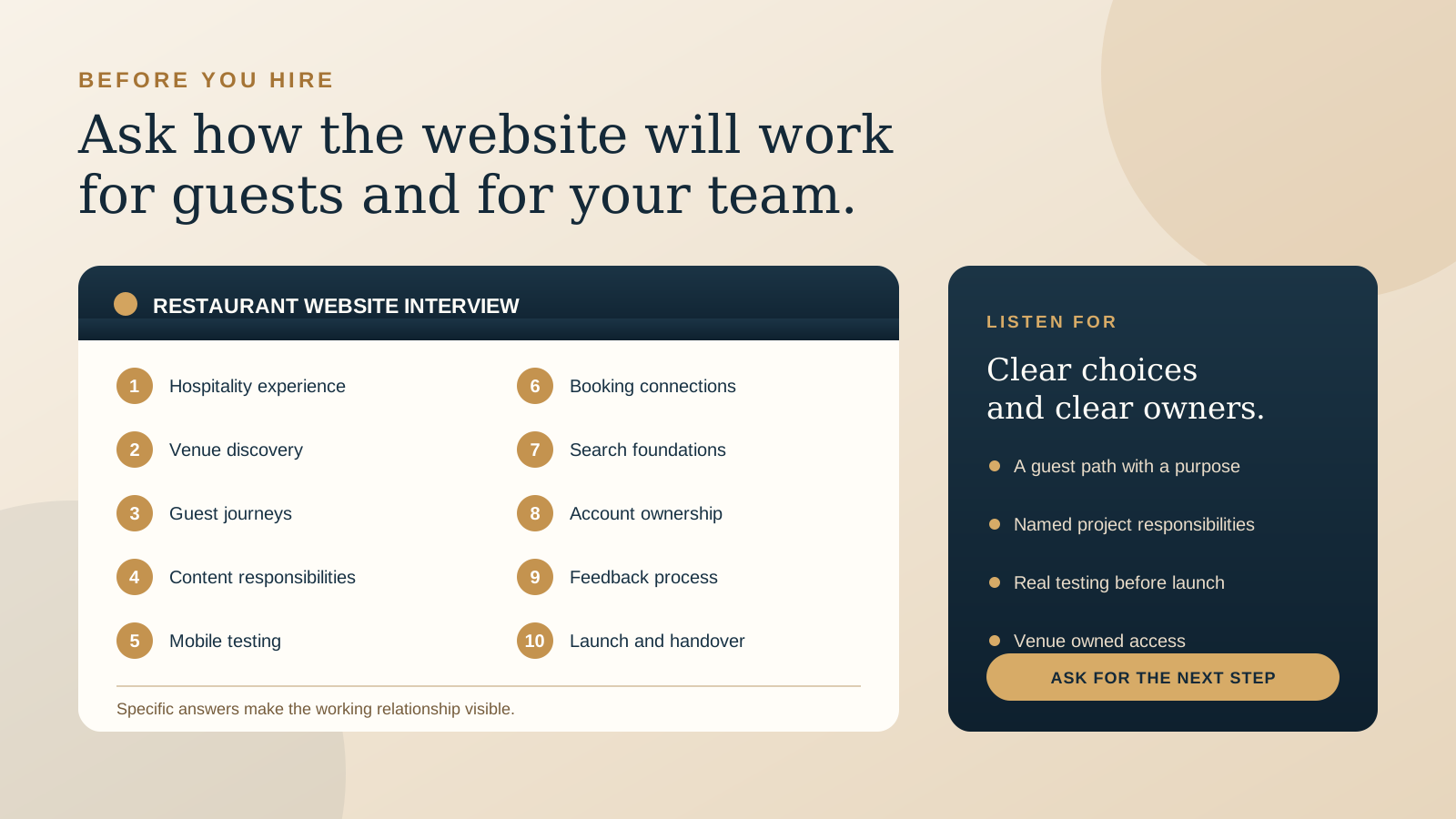
Before the conversation, write down the website's main job, the people who will approve it, the systems it must connect to, and the content you already have. If you are still deciding the likely project shape, read one page or multiple pages for a restaurant website first.
1. “What have you learned from designing hospitality websites?”
You are not looking for a particular number of restaurant projects. You are checking whether the designer understands the decisions a hungry, hurried, or travelling guest makes. Ask them to walk through a relevant project and explain the problem, the choices they made, and what changed between the first idea and the finished site.
A useful answer discusses guest needs such as seeing the current menu, understanding the atmosphere, checking dietary or access information, finding the venue, booking a table, ordering, or planning a stay. It should also recognise the venue team's reality: seasonal content, busy services, changing hours, limited time, and several outside platforms.
Beautiful work still matters. The question is whether the visual decisions help the right guest understand and trust the experience. Ask to see the mobile version and one ordinary information page, not only the most dramatic home page view.
2. “How will you understand our venue before you design?”
A restaurant website should not begin with a favourite layout. Ask what the designer needs to learn about your guests, positioning, service style, location, menu, booking process, busy periods, private events, and the reasons people choose you.
Listen for a discovery process that suits the size of your business. It might include an owner interview, a short team conversation, a review of existing website data, current guest questions, photography, competitors in the local decision set, and a visit or video walk-through where practical. The process does not need to be heavy. It does need to produce clear priorities.
Ask what you will receive at the end of discovery. A short page plan, guest journey, content list, or agreed set of goals gives both sides something concrete to approve before visual work expands.
3. “Which guest journeys will you plan first?”
Your website may serve several audiences, but not every action deserves equal weight. Ask the designer to name the first journeys they would map after hearing about your business. For a restaurant, that may be checking the menu and booking. For a cafe, it may be confirming today's hours, location, and takeaway options. For a boutique stay, it may be comparing rooms and reaching live availability.
A good answer connects pages and buttons to complete journeys. “Book a table” is not finished because a button exists. The designer should consider where it appears, whether the label is honest, what happens on the reservation platform, how guests return, and what they see when no suitable table is available.
Ask how secondary needs will remain findable without crowding the first screen. Private dining, gift cards, events, accessibility, press, and careers may need clear routes even when they are not the primary home page action. Our guide to restaurant booking links shows the level of detail worth discussing.
4. “Who is responsible for the words, photographs, menus, and venue details?”
Many website delays are really content decisions waiting for an owner. Ask for a written responsibility list. Who writes the first draft? Who edits it? Who selects photographs? Who checks menu names, prices, hours, address details, policies, room information, and legal text? Who prepares any new photography, and when does it need to be ready?
Ask the designer how they will work when some content is still missing. A useful process identifies essential content early, uses clearly labelled placeholders only where needed, and prevents an unfinished menu or borrowed image from quietly reaching the live site.
Also ask how future updates work. Can your team change hours, menu links, events, and key images safely? If the designer will handle updates, what information should you send and what response arrangement is included? The answer should match the time and confidence of the people who will actually maintain the site.
5. “How will you test the mobile guest experience?”
Ask for more than “the site will be responsive.” Find out which phones and browsers will be checked, who performs the testing, and how you will review it before launch. The designer should test the website as a guest, not only resize a desktop preview.
Useful checks include opening the menu outdoors, reading key text without zooming, tapping the booking and map links, completing an enquiry form, using date and time controls, calling the venue, and recovering from a validation error. Images should feel intentional without making the page uncomfortable on a mobile connection.
Ask how accessibility is considered in colour contrast, text size, focus states, image descriptions, form labels, keyboard use, and reduced motion. No short checklist covers every need, but the designer should be able to describe the standards and practical tests they use. You can prepare for this conversation with our restaurant website mobile UX checklist.
6. “How will our booking, ordering, gift card, and enquiry tools connect?”
List the systems your venue already relies on. Ask whether the website will link to them, embed them, exchange information with them, or simply direct the guest to a separate service. Each approach changes the experience, maintenance, and amount of control your team has.
The designer should ask for the real account details and test environment, not guess from a provider's public example. They should confirm what can be styled, what the outside platform controls, what happens if it is unavailable, and who contacts the provider when the connection breaks.
Ask them to demonstrate the full path before launch. A working button is only the beginning. Confirm the correct venue, service, party options, confirmation screen, notification, cancellation information, and return path. For ordering, make sure the choice between direct ordering and delivery platforms is clear rather than presenting several equal buttons without context.
7. “How will you protect our existing search visibility and build the basics correctly?”
If you already have a website, ask the designer to inventory useful pages and URLs before changing them. Find out who maps old addresses to new ones, sets permanent redirects, updates internal links, checks page titles and canonical URLs, prepares the sitemap, and verifies that the live site is open to search engines.
If this is a new website, ask how the structure will make the venue name, offer, location, menu, and contact details understandable. Search foundations begin with accurate, useful pages. Be cautious of a conversation that jumps straight to guaranteed positions or a long list of location pages without first understanding what the venue can genuinely support.
Ask what is included at launch and what needs ongoing work. The designer should separate the site's technical and content foundations from continued local profile care, reviews, new content, and search monitoring. If you are replacing a current site, use the restaurant website redesign checklist to make the migration responsibilities explicit.
8. “Who will own the domain, hosting, accounts, content, and finished files?”
The venue should understand what it owns, what it licenses, and what it can access. Ask whose name and email will be on the domain registration, hosting account, website platform, analytics, search tools, booking integrations, and any paid services. Confirm who receives renewal notices and who can recover each account.
Ask what you receive when the project is complete. This may include website access, original design files, content, licensed asset details, image sources, custom code, exports, backups, and documentation. Some services cannot be transferred in the same way as a file, so the designer should explain the practical handover rather than promise vague ownership of “everything.”
Put the answer in the agreement. Our guide to domain and hosting ownership gives you a practical list of access, billing, backup, renewal, and handover questions.
9. “How will decisions, feedback, and changes stay clear?”
Ask who your day-to-day contact will be, who needs to approve each stage, and where decisions are recorded. A simple process is often best: one venue decision maker gathers team feedback, each review has a clear purpose, and both sides can see what has been approved.
Find out what you will review at each stage. A page plan, content outline, visual direction, working website, and pre-launch check answer different questions. If every topic is discussed at once, important operational details can disappear inside opinions about colour or photography.
Ask how new requests are handled after the scope is agreed. The answer should explain how the designer identifies the effect on timing and work before proceeding. Clear change control protects the relationship. It gives an owner room to make a considered decision instead of discovering late that both sides understood the request differently.
10. “What happens during launch, handover, and the first weeks after?”
Ask for a launch checklist and the name of the person responsible for each step. It should cover final content approval, account access, domain or hosting changes, forms, analytics, search settings, redirects where needed, booking and ordering paths, backups, and a clear way to report a problem.
Find out when launch will happen and who will be available to check it. Ask how the designer confirms that the public site, not only a preview, is working. The first live review should include the home page, menu, booking, contact, directions, enquiries, key old links, and mobile experience.
Finally, ask what the handover teaches your team and what support continues. You may need a short recorded walkthrough, written instructions, or a live training session. Confirm how small updates, technical issues, future pages, and a later redesign are handled. A good handover leaves you confident about the site you now operate.
Bring a useful baseline to the first conversation
The free Restaurant Website Quick Score helps you check nine guest essentials and arrive with three priorities you can discuss with a prospective designer.
Try the free Restaurant Website Quick ScoreWant a useful starting point before you hire?
The US$35 Website Check reviews your live website and gives you a short priority list. You can use it to clarify what should stay, what needs attention, and which questions matter most when you speak with a designer.
See the Website Check