
The short answer is to follow the work, not the label
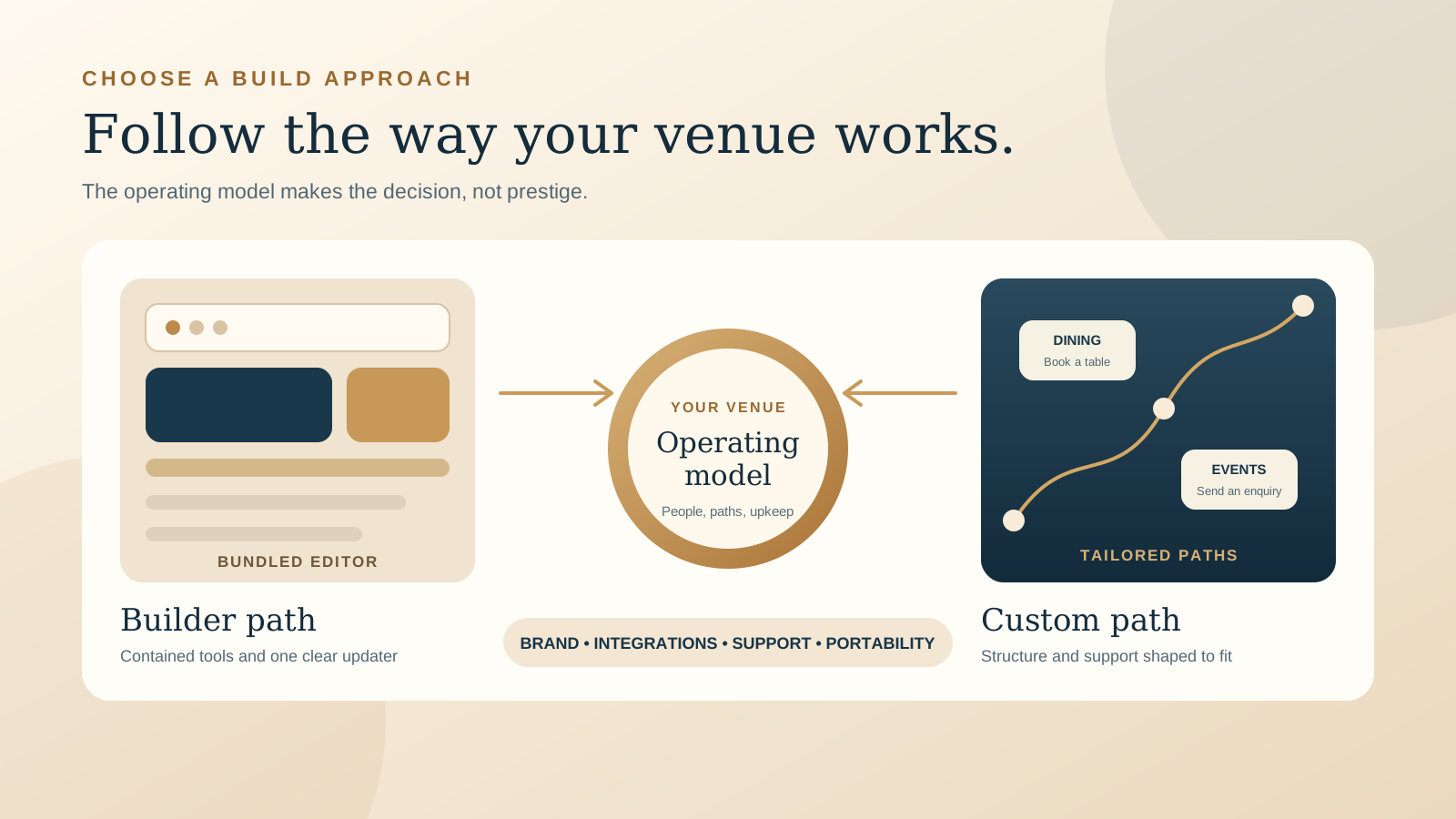
There is no universal winner. A restaurant, cafe, or boutique stay with a compact site, a stable set of guest actions, and an owner who enjoys making updates may be well served by a hosted website builder. The bundled editor, hosting, and common hospitality features can keep the setup contained.
A custom website becomes more useful when guests take several distinct paths, the venue needs a recognisable visual system, existing content must be migrated carefully, or booking, ordering, events, rooms, memberships, and enquiries must work together in a deliberate way. The added value is not simply that the pages look different. It is that the structure and responsibilities are shaped around the venue.
Start by listing what happens in an ordinary month. Who updates the menu? Which reservation, ordering, room, or event systems need to connect? Who checks the website after a provider changes something? The free Restaurant Website Quick Score can help identify the current guest journey problems before you compare build approaches.
Compare what changes between the two paths
Operations and integrations
Builder: Strong when the venue's routine needs fit the platform's available tools and supported connections. Wix describes editable digital menus, table reservations, online ordering, payments, POS integrations, loyalty, and marketing tools within its restaurant offering. Squarespace provides menu layouts, reservation connections including Tock, plus ordering and commerce options. Some Squarespace features and Tock may require separate plans or subscriptions, so confirm the exact setup rather than assuming every restaurant feature is included.
Custom: Strong when the website must organise several systems into one clear guest journey, or when an unusual workflow needs specific structure and testing. Custom does not mean every operational tool should be rebuilt. A tailored site can connect reliable specialist services while controlling the information and choices around them.
Brand and guest paths
Builder: A good template can be more than enough for a venue that needs a clear menu, strong photography, essential information, and one main action. The risk appears when the business has to bend its story or navigation around the template rather than the decisions guests actually make.
Custom: Better suited to a venue where atmosphere is a major reason to choose, or where different guests need distinct routes. A boutique stay may need room, location, experience, and direct booking paths. A restaurant may need separate routes for dining, private events, takeaway, and gift cards. Those paths can share one visual language without competing on every page.
Upkeep and support
Builder: Can give one capable owner a contained editing workflow. The website still needs an updater, accurate source information, controlled account access, and someone to contact when an integration or subscription changes.
Custom: Can be designed with guarded content fields, clear roles, training, and partner support. It can also become difficult if nobody documents the stack or takes responsibility after launch. Ask how routine edits work, who handles technical changes, and what the response path is when the site affects service.
Portability and future change
Builder: Keeps much of the site inside one provider's system. Moving later may involve exporting what the platform supports, then rebuilding design, layout, and some functions elsewhere. Keep original copy, photos, menus, and account details outside the editor too.
Custom: Can offer more control over content, files, and the technical setup, especially on an open source CMS. WordPress describes its software as open source, extensible through themes and plugins, self hostable, and designed to support data ownership and migration. Portability still depends on the actual build, so the supplier should explain what can transfer and what would need to be recreated.
Start with your venue's operating model
A website is part of operations, even when its main job is to help a guest decide. It carries changing information from the venue to the public and sends people into other systems. That makes the editing and support model as important as the launch design.
Write down the recurring changes first. A cafe might update hours, a short menu, and a seasonal banner. A restaurant might manage several menus, table bookings, events, private dining leads, direct orders, and gift cards. A boutique stay might add room offers, policies, local guides, and availability links. The second and third examples have more guest paths and more places where stale information can create doubt.
Then name the updater. If one owner wants direct control and the site's needs fit a builder, that simplicity has real value. If several staff members need limited editing access, or a partner will manage changes and quality checks, the content model and permissions deserve more planning. The guide to safe restaurant website and menu updates explains how to test the everyday editing process before launch.
Finally, trace each integration from the guest's first click to confirmation. Do not stop at a feature list. Test the actual menu, booking, ordering, enquiry, or room journey on a phone. Our restaurant website mobile UX checklist is a useful way to inspect that path.
Custom is not synonymous with coded from zero
A custom website is defined by the decisions shaped around the venue, not by how many lines of code are written. Custom design can be implemented on a hosted builder, an open source CMS, or another appropriate stack. The meaningful distinction is whether the structure, visual system, guest paths, integrations, and handover are tailored to the venue.
A designer might use a hosted platform because its editor and managed service suit the owner's update habits, then create a distinctive layout and content system within it. Another project might use WordPress because the venue needs more control over structured content and future extensions. A focused static or framework based build may suit a small site whose updates are handled by a care partner. None of these approaches is automatically more custom or more professional than the others.
Ask what has been designed for your business. The answer should mention page structure, mobile priorities, content, imagery, calls to action, integrations, editing rules, testing, and handover. A vague promise of a custom site without those details is less useful than a well chosen builder with a clear implementation plan.
If you are comparing named platforms, read the detailed guides to Wix or Squarespace for a restaurant website and WordPress or Squarespace for a restaurant website.
Count the hidden costs and assign the responsibilities
The visible platform plan or project fee is only one part of the decision. Compare the complete setup over the period you expect to use it, without assuming that bundled always means included or that custom always means expensive to maintain.
For a builder, confirm these items
- The plan needed for the pages, forms, commerce, and integrations you will actually use.
- Any separate reservation, ordering, payments, email, loyalty, or hospitality subscriptions.
- The time an owner or staff member will spend updating content and checking the live guest journey.
- Who responds when the platform and an external service stop working together as expected.
- What content can be exported, what must be saved separately, and what a future move would need to rebuild.
For a custom project, confirm these items
- Strategy, copy, photography, content entry, migration, redirects, integrations, testing, and launch responsibilities.
- Hosting, software or service subscriptions, backups, security, and technical maintenance after launch.
- What routine changes the venue can make safely and what needs a web partner.
- The support boundary, response route, and cost basis for work outside the agreed care.
- Who owns the domain, accounts, content, original assets, website files, and administrative access.
Use the guide to what a restaurant website quote should include to compare scope rather than headline totals. Settle domain, hosting, and account ownership before access becomes urgent.
Use a practical decision framework
Choose a builder led approach when:
- The site is compact and most guest needs are handled by standard pages and supported tools.
- One clear owner or staff member is willing and able to keep the site current.
- The selected platform's menu, reservation, ordering, commerce, and marketing options fit the real workflow.
- The brand can be expressed well without forcing unusual structure or behaviour.
- The venue accepts the platform's support, portability, and future change boundaries.
Choose a more custom approach when:
- Brand differentiation is central to how guests understand and choose the venue.
- Several audiences need clear paths, such as dining, events, stays, direct orders, or group enquiries.
- Specialised integrations, structured content, multilingual needs, or an existing site migration require careful planning.
- Performance work and mobile behaviour need control beyond selecting a template.
- The venue values an ongoing support relationship, documented handover, or a tailored maintenance model.
There is also a useful middle path: custom strategy and design implemented on a hosted builder that suits the venue's day to day editing. The categories are not opposing camps. Treat them as different ways to allocate design freedom, technical responsibility, and ongoing work.
Ask these questions before choosing
- What are the three most important actions a guest should complete on a phone?
- Which menus, booking tools, ordering systems, room engines, forms, payments, or email services must connect?
- Who will update hours, menus, images, offers, and policies, and how often?
- Does the venue need one main path, or several paths for different guests and services?
- How much does a recognisable visual experience affect trust and the decision to book or visit?
- What existing URLs, search content, analytics, and integrations must be protected during migration?
- Who handles backups, security, testing, and urgent fixes after launch?
- What can the venue take to another supplier, and in what usable form?
- Which costs sit outside the platform plan or project quote?
- Can the usual updater complete one real change and preview it safely before the site goes live?
A calm recommendation
If your venue needs a simple, attractive site, most functions are comfortably bundled, and one person can keep it accurate, start by evaluating a builder. Put the actual menu and booking or ordering path into a trial or prototype before you commit.
If your venue depends on a distinctive brand, multiple guest journeys, specialised connections, careful migration, closer performance work, or dependable ongoing support, invest in a custom process. Ask the designer to recommend the stack after those needs are understood, rather than treating a particular platform as the definition of custom.
The build approach should follow the operating model, not prestige. The right website is the one guests can use with confidence and the venue can own, update, and support through a busy season.
Want a clearer next decision?
The US$35 Website Check reviews your live mobile journey, menu, booking path, essential information, visual clarity, and search basics. You receive a focused priority list that can help you decide whether the current setup needs a smaller repair, a better builder implementation, or a more tailored rebuild.
Get the US$35 Website CheckSources
- Wix, restaurant website builder and restaurant tools
- Squarespace, restaurant website features
- Squarespace Help Center, building a restaurant site
- WordPress.org, about the open source platform
- WordPress.org, download and install WordPress
- WordPress.org, data liberation and migration