
The short answer is to solve the question before sending guests to an FAQ
A restaurant website does not need a long page of imagined questions. It needs clear answers at the moments when a guest is choosing whether to visit, book, order, or enquire.
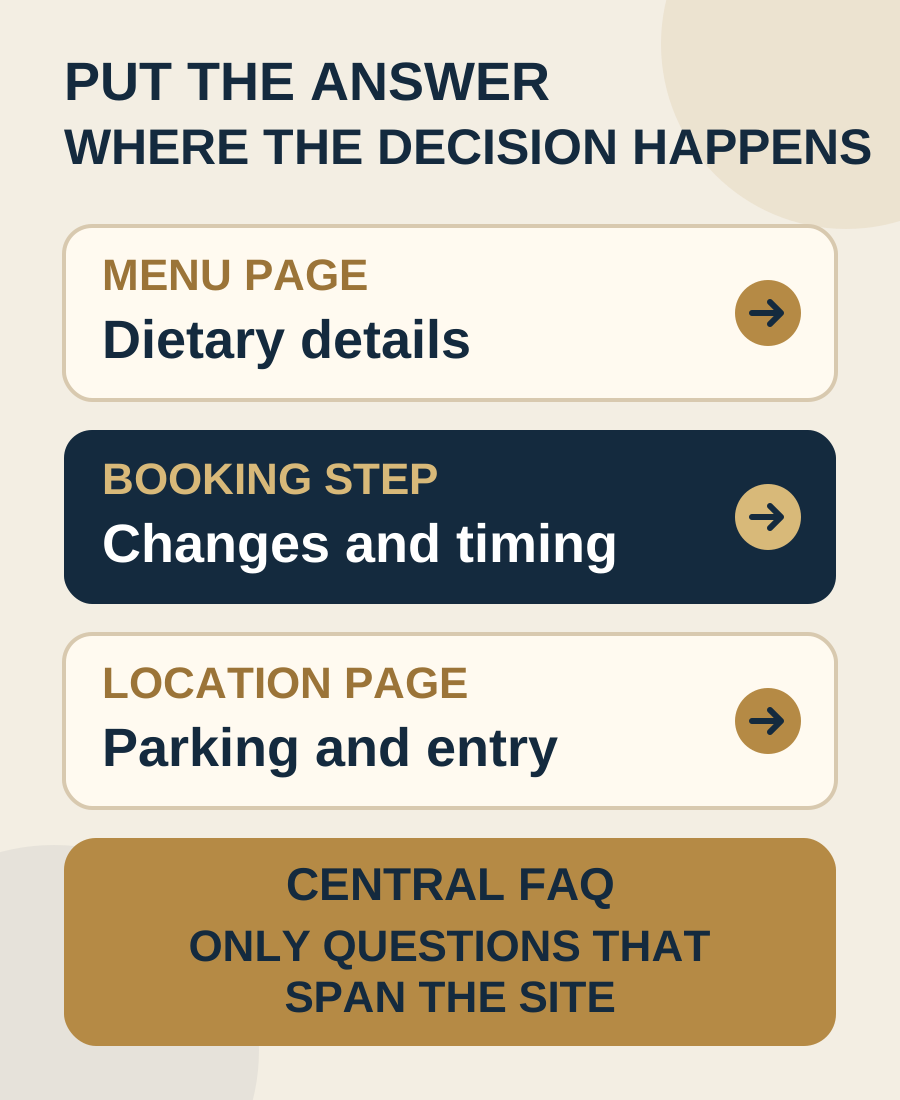
Dietary information belongs with the menu. Booking changes belong beside the reservation action and policy. Parking, entrance, and arrival details belong with the address and directions. Group dining information belongs on the page where an organiser decides whether to enquire. When these answers are moved into one distant FAQ, the guest must leave the decision and search for context.
A short central FAQ can still help when a question applies across several pages or services. The goal is not to maximise the number of answers. It is to remove repeated uncertainty without creating another page the team cannot keep current.
Start with questions real guests and staff already repeat
Do not begin by copying a generic restaurant FAQ list. Begin with evidence from the venue. Ask the people who answer the phone, manage messages, greet guests, handle reservations, and respond to group enquiries which questions slow down a decision or create avoidable confusion.
Review recent enquiry themes without publishing private guest details. Look at the questions that arrive before a booking, after a confirmation, on the day of the visit, and when a group is deciding whether the venue fits. Separate a frequent question from an important one. A question asked less often may still deserve a clear answer if getting it wrong changes whether someone can visit.
Turn each useful question into a content decision:
- What exact uncertainty is the guest trying to resolve?
- At which page or step does that uncertainty appear?
- What can the venue state accurately and maintain?
- Does the guest need an answer, a live status, or a direct contact route?
- Who owns the answer when the operation changes?
If the team cannot answer one of these yet, that is an operational decision to make before writing polished copy. The website should not invent certainty the venue does not have.
Place the answer where the guest makes the decision
Use the page with the strongest context as the main home for each answer. A short version can appear elsewhere when it helps, but one location should hold the complete current detail.
- Menu decision: Put dietary guidance, current menus, service periods, and relevant price context with the menu.
- Booking decision: Put reservation availability, changes, cancellation details, deposits, and the supported contact route beside the booking action.
- Visit decision: Put the address, correct entrance, parking guidance, transport context, and useful accessibility facts with directions.
- Group decision: Put capacity guidance, service formats, menu starting information, timing, and enquiry requirements with private dining or group bookings.
- Ordering decision: Put collection, delivery, location, availability, and problem resolution information beside the relevant ordering path.
This approach also improves mobile use. A guest should not have to open a separate page, scan a long accordion, remember the answer, and return to the original action. The restaurant website mobile checklist can help you test the full path rather than reviewing the FAQ in isolation.
Build a simple question map before writing
Create a working list with four columns: the guest question, the best page for the answer, the person who owns the fact, and the event that should trigger a review. Keep the language close to how the guest asks, then write the answer in the venue's normal voice.
A useful map might place “Can you accommodate this dietary need?” on the menu page, “How do I change my reservation?” at the booking step, “Where do we enter?” on the location page, and “Can our group dine together?” on the group dining page. These are examples of placement, not answers a venue should copy without checking its operation.
When the same question appears in several places, choose one source and link to it. Repeating different versions of a policy across the homepage, FAQ, booking page, and confirmation creates more maintenance work and more opportunities for contradiction.
Keep dietary information close to the menu and the real service process
Guests looking for dietary information usually need more than a broad reassurance. They need to understand what information is available, where current options are shown, whether advance notice is useful, and how to ask a question the team can answer responsibly.
Place the venue's approved wording on or immediately beside the current menu. If dishes, ingredients, or preparation can change, say how guests can confirm a current detail. If the team needs notice for a request, explain when and through which route. Avoid vague promises that are broader than the kitchen's actual process.
The website can make the conversation easier without pretending every situation has one fixed answer. Give enough context for a guest to decide whether to continue, then make the right contact route visible for a question that needs individual confirmation.
Explain booking changes before and after the reservation
A guest should know where to change or cancel a booking, whether the venue supports that action online, and which contact route can help when the booking system does not. Put the essential instruction beside the reservation action and repeat the correct next step in the confirmation experience where the venue controls it.
If a deposit, card hold, cancellation condition, or timing rule applies, explain it before the guest confirms. Our guide to restaurant booking deposits and policy copy shows how to place the commitment close to the booking decision without turning the website into a wall of terms.
Do not offer every channel as a fallback. If messages are not monitored during service, or the phone cannot handle reservation changes at certain times, direct guests to the route the team can actually support. A clear limitation is more useful than a contact option that does not lead anywhere.
Clarify parking, arrival, and accessibility with specific facts
Arrival questions are easiest to answer beside the address, map, and directions. State the correct entrance, floor, landmark, parking arrangement, or access route only when the venue has confirmed it. If parking is not controlled by the venue, describe the practical context without promising availability.
Accessibility information should use concrete facts. Describe the route, entrance, seating, facilities, or assistance the venue has verified, and give a direct way to ask about an individual need. Avoid replacing useful detail with a single broad label.
Check this section on a phone from outside the venue. A guest who is already travelling needs short directions, readable text, a working map action, and a contact route that reaches the right location. Decorative neighbourhood copy can follow after those essentials.
Give group organisers enough information to send a useful enquiry
Group questions often need more context than a central FAQ can carry. An organiser may need to understand the type of space, approximate group fit, available service formats, menu approach, timing, accessibility, and what information the venue needs before it can respond.
Put that guidance on a dedicated group or private dining page when the service is important enough to explain. The restaurant private dining page guide shows how to help an organiser judge fit and send a useful enquiry without asking the venue to publish details it cannot maintain.
The FAQ can link to that page with one short question. It should not duplicate the full capacity, menu, and enquiry information. One maintained source is easier for guests and staff to trust.
Keep the central FAQ for questions that genuinely span the website
A central FAQ earns its place when it helps across several guest paths. It may answer a question about the venue as a whole, point guests to the correct location or service, or gather a small number of repeated questions that have no natural page of their own.
Keep the list short. Group answers by guest task rather than by internal department. Write descriptive headings that make sense when scanned on a phone. Link directly to the relevant menu, booking, location, or group page when the complete answer lives there.
Remove questions that only repeat the navigation, fill space, or make the owner sound responsive without giving a decision. “Do you have a menu?” is not useful if the answer is a paragraph that still makes the guest hunt for the menu. A visible menu link is the better fix.
Give every answer an owner and a review trigger
An FAQ becomes risky when it collects facts from several parts of the operation but nobody owns the page. Add each answer to the same update routine as the source it describes.
- Menu change: review dietary guidance, service periods, and linked menu files.
- Booking change: review change instructions, policy copy, contact routes, and confirmation wording.
- Location change: review address, entrance, parking context, map links, and accessibility facts.
- Group offer change: review capacity guidance, service formats, menus, timings, and enquiry fields.
- Contact change: review every page that sends guests to that phone number, email address, form, or message route.
Name one person responsible for publishing approved changes and checking the public result. A visible updated date helps only when the team will keep updating it. Otherwise, use a dependable internal review record and keep the public answer focused on the current fact.
Run this short FAQ self audit on a phone
- List the questions staff repeat before a visit, booking, order, or group enquiry.
- Open the page where each guest first needs the answer.
- Confirm the useful answer appears there without requiring a visit to the FAQ.
- Check that dietary guidance sits with the current menu and does not promise more than the venue can confirm.
- Follow the booking change or cancellation route from the public side.
- Use the location page while imagining a first visit, including entrance, parking context, map action, and accessibility facts.
- Check whether group dining has enough information for a useful enquiry.
- Compare repeated answers and remove contradictions.
- Keep only the questions that genuinely need the central FAQ.
- Record an owner and review trigger for every remaining answer.
Repeat the audit when a menu, booking provider, policy, entrance, parking arrangement, accessibility detail, group offer, or contact route changes. The aim is a smaller collection of dependable answers, not a longer page.
Start with the free Restaurant Website Quick Score
The free Restaurant Website Quick Score checks nine guest essentials and gives you three practical priorities. Use it before expanding the FAQ. It can reveal whether the real problem is missing menu access, unclear location details, a weak booking path, or another essential that should be fixed at its source.
Want a focused review of the questions your website leaves open?
The US$35 Website Check reviews the live mobile journey, menu, booking or ordering path, essential venue details, visual clarity, and search basics. You receive a short priority list showing which answers belong on the decision page, which may need a central FAQ, and what should be corrected first.
Get the US$35 Restaurant Website Check